Contents [ hide
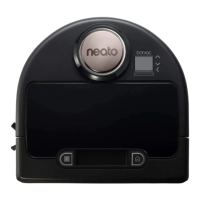
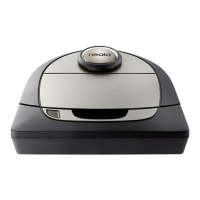
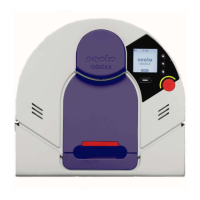
1 neato botvac D3/ D5
2 Meet Your Neato Robot
3 Overview
3.1 INFO LED is used for:
3.2 BATTERY LED is used to show:
4 Important Items and Tips
4.1 IMPORTANT ITEMS
4.2 TIPS
5 Start Button & LED Lights
5.1 INFO LED
5.2 BATTERY LED
6 Preparation and Set Up
6.1 REMOVE FILMS AND STICKERS
6.2 SET UP CHARGE BASE
6.3 INITIAL ROBOT CHARGING
7 Setting Up Your Robot With Wi-Fi Connection and the Neato App
7.1 APP SET-UP
7.2 ROBOT FEEDBACK DURING INITIAL PAIRING
8 PAIRING ISSUES
8.1 OPERATING THE ROBOT FROM MULTIPLE SMARTPHONES &
TABLETS
8.2 CONNECTING YOUR ROBOT TO ADDITIONAL NETWORKS
9 Using Your Robot With the Neato App
9.1 HOUSE CLEANING
9.2 SPOT CLEANING
9.3 SCHEDULING YOUR NEATO ROBOT
9.4 PUSH NOTIFICATIONS
9.5 ROBOT SOFTWARE UPDATES
9.6 SMART WATCH CAPABLE
9.7 TROUBLESHOOTING YOUR DEVICE
10 Using Your Neato Robot Without the Neato App
10.1 HOUSE CLEANING
10.2 SPOT CLEANING
10.3 FEATURES ONLY AVAILABLE VIA THE NEATO APP
10.4 INFO LED
10.5 BATTERY LED
11 How Neato Works
11.1 HOUSE CLEANING
11.2 AUTO CHARGE AND RESUME
11.3 SINGLE ROOM CLEANING
11.4 RETURNING TO BASE
11.5 MOVING A ROBOT MID-CLEANING
12 Maintaining Your Neato Robot
12.1 DIRT BIN AND FILTERS
12.2 BRUSHES
12.3 ROBOT TOP
12.4 SENSORS
13 ACCESSORIES
13.1 REGISTER YOUR NEATO
13.2 GETTING HELP
14 WARRANTY
15 Troubleshooting
16 Related Manuals







 To Next Page