77
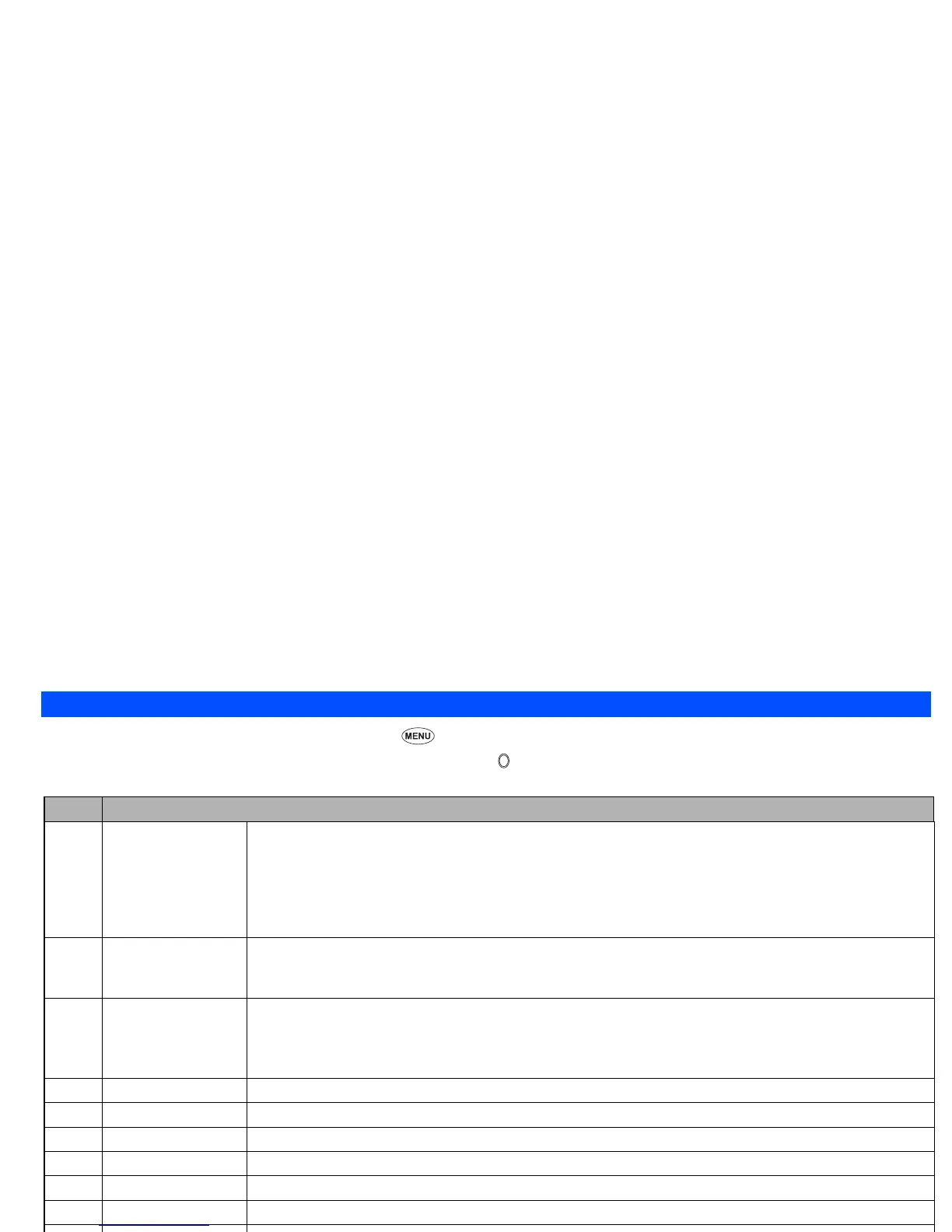
File selector menu
☛
With the Pictures/Sounds list screen displayed, press .
☛
Use the ▲ and ▼ keys to highlight the required menu item and press .
File Selector Options menu
No. File Selector Options menu
1Edit item Enables to change the protection settings of the selected file, or cut, reduce, rotate the image, or set the frame to it.
Change protection: Enables to change the protection settings of the selected file.
Cut: Enables to cut the selected image.
Reduce: Enables to reduce the selected image.
Rotate: Enables to rotate the selected image.
Frame synthesis: Enables to set the desired frame to the selected image.
2 Use item (Picture) Enables to utilize the selected file by attaching to mail/MMS or setting as wallpaper.
Create message: Attaches the selected file to mail/MMS (see page 55).
Set as wallpaper: Sets the selected image to be wallpaper.
2 Use item (Sound) Enables to utilize the selected file by attaching to mail/MMS or setting as ringer tone or message tone.
Create message: Attaches the selected file to mail/MMS (see page 55).
Set as ringtone: Sets the selected sound to be ringer tone.
Set as message tone: Sets the selected sound to be message tone.
2 Create message Attaches the selected file to SMS/mail/MMS (see page 36 and page 55).
3 Delete item Deletes the selected file and folder.
4 Delete all Deletes all the files in the current folder. (Sub folders are not deleted.)
5 Rename item Enables to edit the file name of the selected file.
6 Copy item Copies the selected file.
7 Move item Moves the selected file.
8Move all Moves all the files in the current folder. (Sub folders are not deleted.)
9 Create folder Creates a new folder under the current folder.
0 Storage detail Displays the current storage information of your phone memory.
View detail Displays the detail of the selected file.



 To Next Page