5
1. Introduction
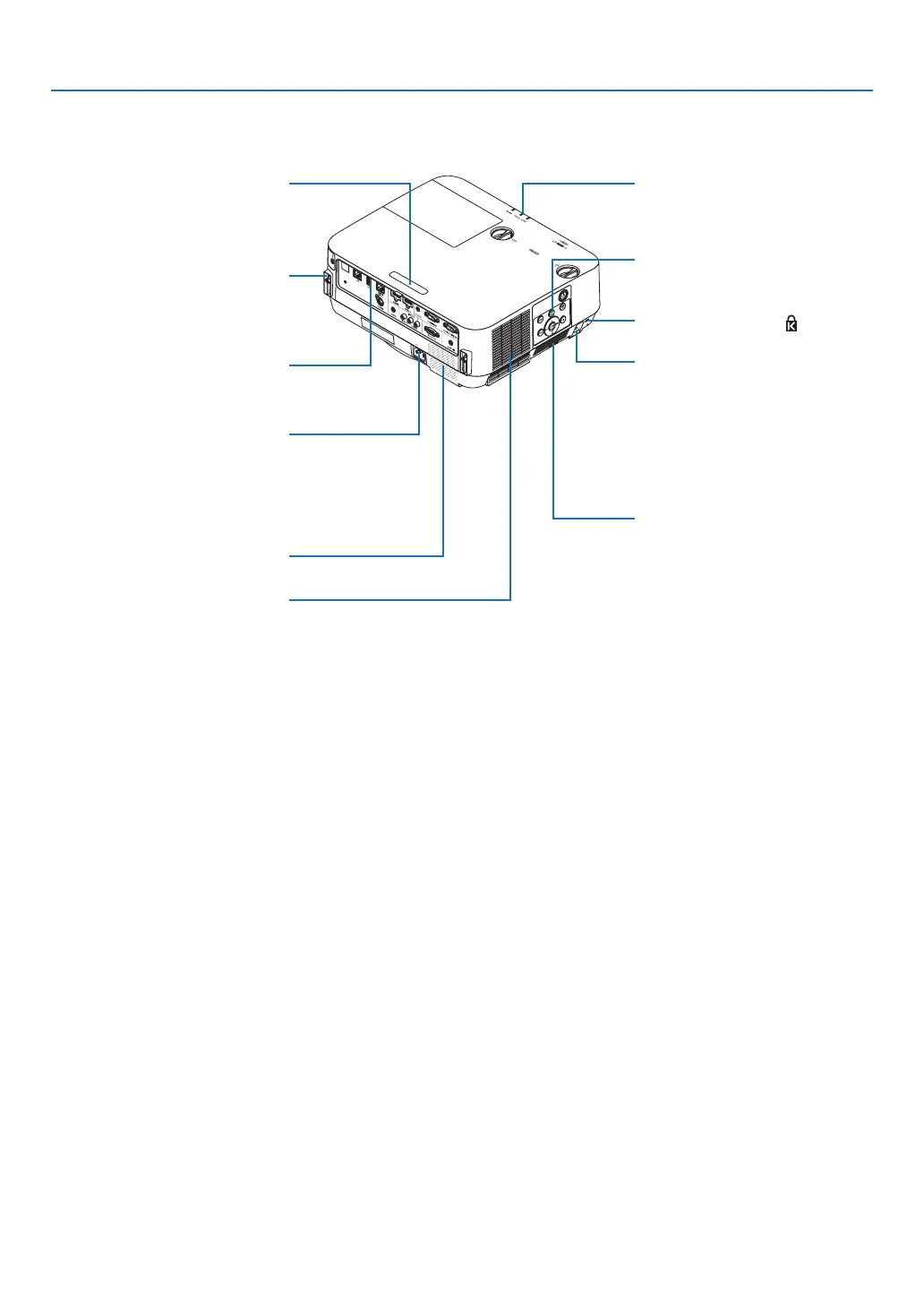
Indicators
(→ page 6)
Controls
(→ page 6)
IntakeVentFilter
(→ page 113, 123)
Remote Sensor
(→ page 9)
Security chain opening
Attach an anti-theft device.
The security chain opening accepts
security wires or chains up to 0.18
inch/4.6 mm in diameter.
Terminals
(→ page 7)
ACInput
Connect the supplied power cord’s
three-pin plug here, and plug the
other end into an active wall outlet.
(→ page 11)
MonauralSpeaker
IntakeVent
(→ page 113)
Built-in Security Slot ( )*
Rear
Connection for cable cover (Left/
Right) Screw holes
(→ page 132)
* This security slot supports the
MicroSaver
®
SecuritySystem.



 To Next Page