EasyManua.ls Logo

NEC PC-8201A - Operation Modes

NEC PC-8201A
219 pages
Print Icon
To Next Page IconTo Next Page
To Previous Page IconTo Previous Page
Loading...
Chapter
6
Operation
Modes
First
of
all,
BASIC
has
to
be
started.
Turn
ON
the
power
switch
of
the
PC-8201.
When
the
word
"BASIC"
appears
in
reverse
image
on
the
screen,
press
the
Key
and
the
following
display
will
be
on
the
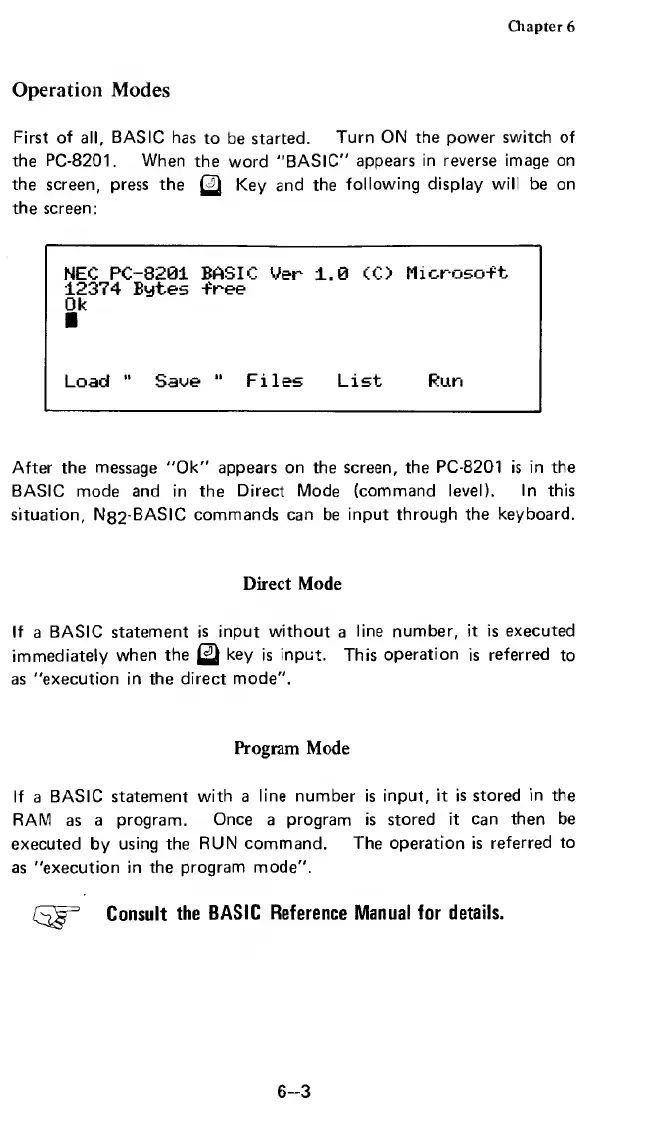
screen:
NEC
PC-8201
BASIC
Ver
1.0
CO
Microso-ft
12374
Bytes
-free
Ok
Load
"
Saoe
"
Files
List
Run
After
the
message
"Ok"
appears
on
the
screen,
the
PC-8201
is
in
the
BASIC
mode
and
in
the
Direct
Mode
(command
level).
In
this
situation,
N
8
2
-BASIC
commands
can
be
input
through
the
keyboard.
Direct
Mode
If
a
BASIC
statement
is
input
without
a
line
number,
it
is
executed
immediately
when
the
key
is
input.
This
operation
is
referred
to
as
"execution
in
the
direct
mode".
Program
Mode
If
a
BASIC
statement
with
a
line
number
is
input,
it
is
stored
in
the
RAM
as
a
program.
Once
a
program
is
stored
it
can
then
be
executed
by
using
the
RUN
command.
The
operation
is
referred
to
as
"execution
in
the
program
mode".
Consult
the
BASIC
Reference
Manual
for
details.
6-3

Related product manuals