EasyManua.ls Logo

NEC PC-8201A - TEXT Mode

NEC PC-8201A
219 pages
Print Icon
To Next Page IconTo Next Page
To Previous Page IconTo Previous Page
Loading...
Chapter
7
Editing
of
documents
can
actually
be
easy
due
to
the
commands
contained
within
the
TEXT
mode.
TEXT
Mode
The
TEXT
mode
may
be
selected
from
the
MENU
in
the
following
ways:
By
placing
the
cursor
over
the
word
"TEXT"
and
then
pressing
the
^
Key.
*
By
placing
the
cursor
over
a
selected
text
file
name
with
the
".DO"
extension
and
then
pressing
the
Key.
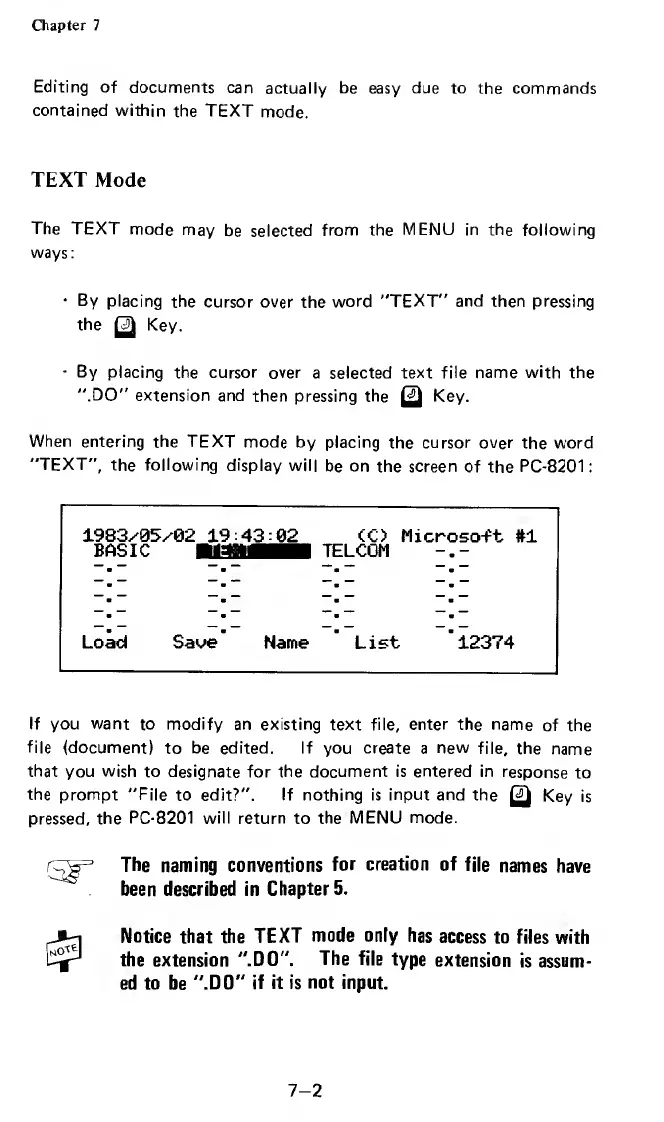
When
entering
the
TEXT
mode
by
placing
the
cursor
over
the
word
"TEXT",
the
following
display
will
be
on
the
screen
of
the
PC-8201:
1983/05/92
19:43:02
<C)
Microso-ft
#1
Load
Save
Name
List
12374
If
you
want
to
modify
an
existing
text
file,
enter
the
name
of
the
file
(document}
to
be
edited.
If
you
create
a
new
file,
the
name
that
you
wish
to
designate
for
the
document
is
entered
in
response
to
the
prompt
"File
to
edit?".
If
nothing
is
input
and
the
Q
Key
is
pressed,
the
PC-8201
will
return
to
the
MENU
mode.
The
naming
conventions
for
creation
of
file
names
have
'
been
described
in
Chapter
5.
Notice
that
the
TEXT
mode
only
has
access
to
files
with
the
extension
".DO".
The
file
type
extension
is
assum¬
ed
to
be
".DO"
if
it
is
not
input.
7-2

Related product manuals