EasyManua.ls Logo

NEC PC-8201A - Page 127

NEC PC-8201A
219 pages
Print Icon
To Next Page IconTo Next Page
To Previous Page IconTo Previous Page
Loading...
Chapter
7
Now
you
can
start
typing
your
document.
Notice
the
cursor
is
now
a
black
line
instead
of
the
block
seen
in
the
MENU
mode.
Input
the
following
sentences
without
pressing
the
Key.
The
word
wrap
feature
will
automatically
wrap
the
words
around
to
the
next
line
if
too
long
to
fit
on
the
current
line:
The
PC-8201
is
a
compact
and
smart
computer.
It
offers
many
features,
like
BASIC
language
for
programming,
word
processing
capability
and
the
ability
to
communicate
with
other
machines
by
the
use
of
a
telephone
modem.
You
also
have
access
to
a
wide
range
of
devices
thru
its
interface
ports.
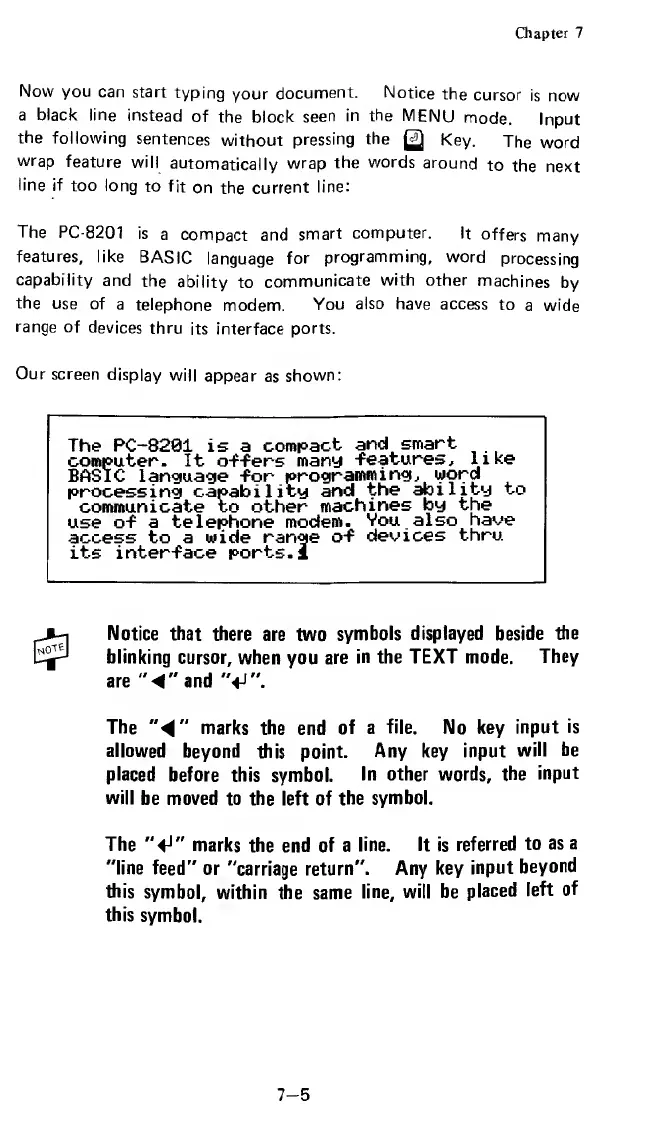
Our
screen
display
will
appear
as
shown:
The
PC-8281
is
a
compact
and
smart
computer.
It
offers
many
features,
like
BASIC
language
for
programming,
word
processing
capability
and
the
ability
to
communicate
to
other
machines
by
the
use
of
a
telephone
modem.
You
also
have
access
to
a
wide
range
of
devices
thru
its
interface
ports.!
Notice
that
there
are
two
symbols
displayed
beside
the
blinking
cursor,
when
you
are
in
the
TEXT
mode.
They
are
"
"
a
n
d
"«J".
The
4
"
marks
the
end
of
a
file.
No
key
input
is
allowed
beyond
this
point.
Any
key
input
will
be
placed
before
this
symbol.
In
other
words,
the
input
will
be
moved
to
the
left
of
the
symbol.
The
"fJ"
marks
the
end
of
a
line.
It
is
referred
to
as
a
"line
feed"
or
"carriage
return".
Any
key
input
beyond
this
symbol,
within
the
same
line,
will
be
placed
left
of
this
symbol.
7-5

Related product manuals