EasyManua.ls Logo

NEC PC-8201A - Page 145

NEC PC-8201A
219 pages
Print Icon
To Next Page IconTo Next Page
To Previous Page IconTo Previous Page
Loading...
Chapter
7
f.6/KEYS
FUNCTION:
This
command
displays
the
commands
of
the
corresponding
Function
Keys,
which
appear
on
the
Iasi
line
of
the
screen.
DESCRIPTION:
To
activate
this
command,
press
the
f.6
Function
Key
(Q^^and
f.1).
If
the
commands
of
the
Function
Keys
are
already
displayed
on
the
screen,
then
pressing
the
f.6
Key
will
clear
the
last
line
of
the
screen.
This
allows
the
last
line
to
be
utilized
for
text
editing.
If
the
last
line
is
used
for
text
editing,
then
the
following
will
happen:
If
the
screen
is
full
and
the
end
of
text
and
the
cursor
is
at
the
last
line
of
the
text,
all
of
the
lines
will
move
up
one
line
with
the
top
line
moving
off
the
screen.
The
bottom
line
will
then
display
the
names
of
the
Function
Keys.
If
the
screen
is
full
and
at
the
beginning
of
the
document,
or
the
cursor
is
not
at
the
bottom
or
top
line,
the
Command
line
will
push
the
last
line
of
the
text
off
the
screen.
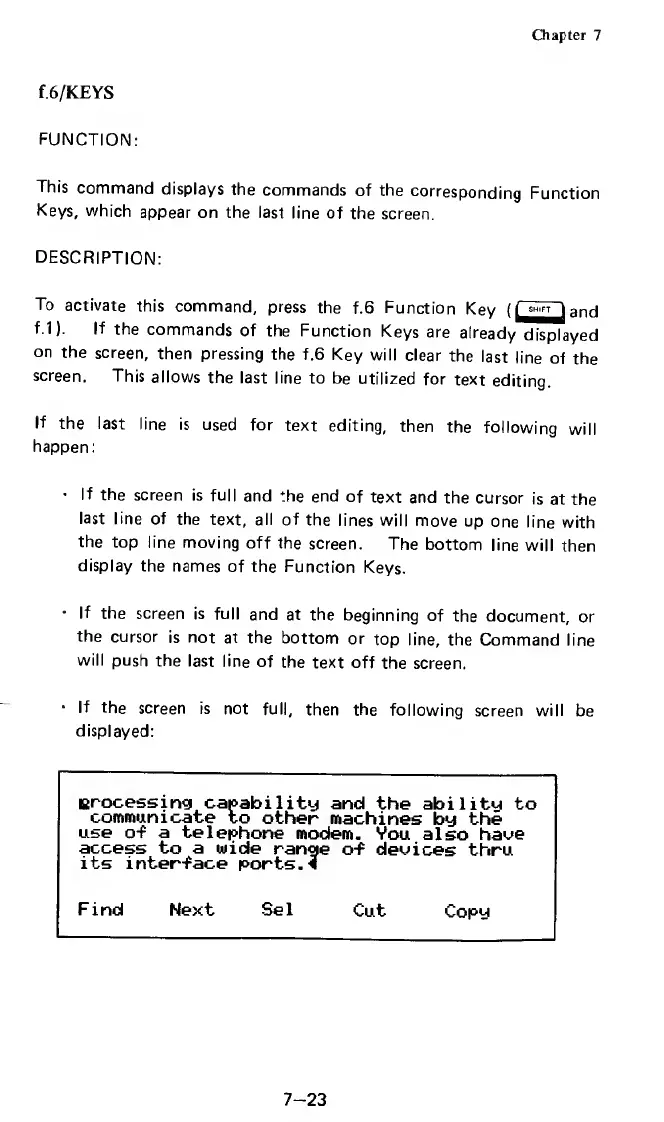
If
the
screen
is
not
full,
then
the
following
screen
will
be
displayed:
processing
capability
and
the
ability
to
communicate
to
other
machines
by
the
use
of
a
telephone
modem.
You
also
have
access
to
a
wide
range
of
devices
thru
its
interface
ports.*
Find
Next
Sel
Cut
Copy
7-23

Related product manuals