EasyManua.ls Logo

NEC PC-8201A - Page 39

NEC PC-8201A
219 pages
Print Icon
To Next Page IconTo Next Page
To Previous Page IconTo Previous Page
Loading...
Chapter
3
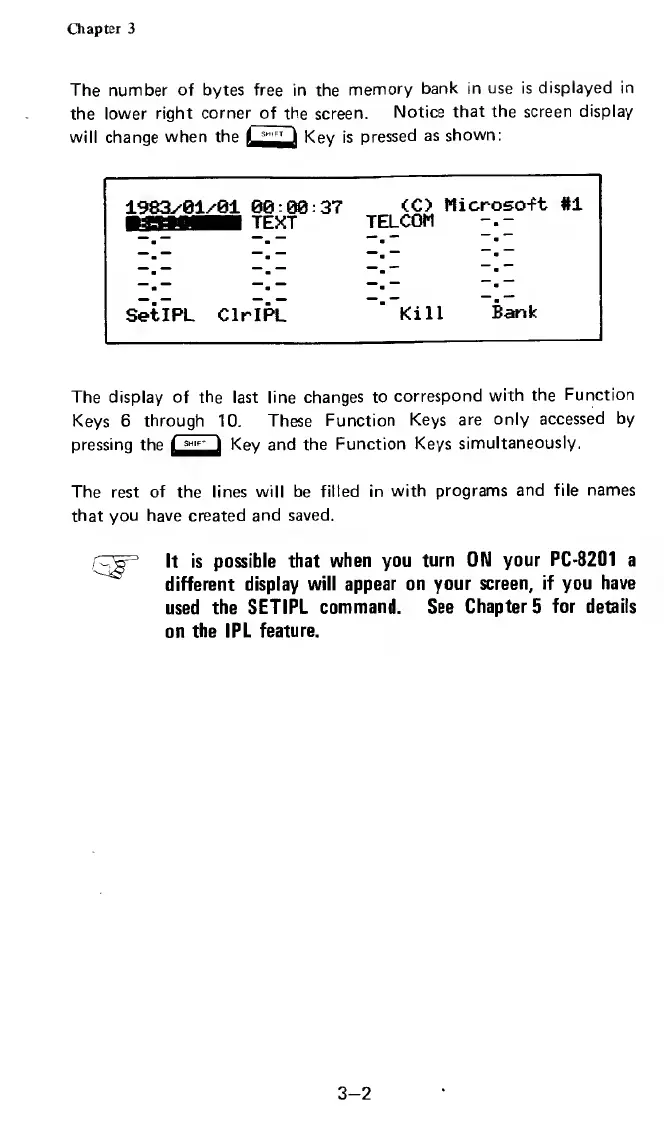
The
number
of
bytes
free
in
the
memory
bank
in
use
is
displayed
in
the
lower
right
corner
of
the
screen.
Notice
that
the
screen
display
will
change
when
the
Key
is
pressed
as
shown:
1983/01/01
00:00:37
<C>
Microsoft
#1
TELCOM
SetIPL
ClrlPL
Kill
Bank
The
display
of
the
last
line
changes
to
correspond
with
the
Function
Keys
6
through
10.
These
Function
Keys
are
only
accessed
by
pressing
the
Key
and
the
Function
Keys
simultaneously.
The
rest
of
the
lines
will
be
filled
in
with
programs
and
file
names
that
you
have
created
and
saved.
.
-
V-
It
is
possible
that
when
you
turn
ON
your
PC-8201
a
different
display
will
appear
on
your
screen,
if
you
have
used
the
SETIPL
command.
See
Chapter
5
for
details
on
the
IPL
feature.
3-2

Related product manuals