EasyManua.ls Logo

NEC PC-8201A - Page 63

NEC PC-8201A
219 pages
Print Icon
To Next Page IconTo Next Page
To Previous Page IconTo Previous Page
Loading...
Chapter
5
Files
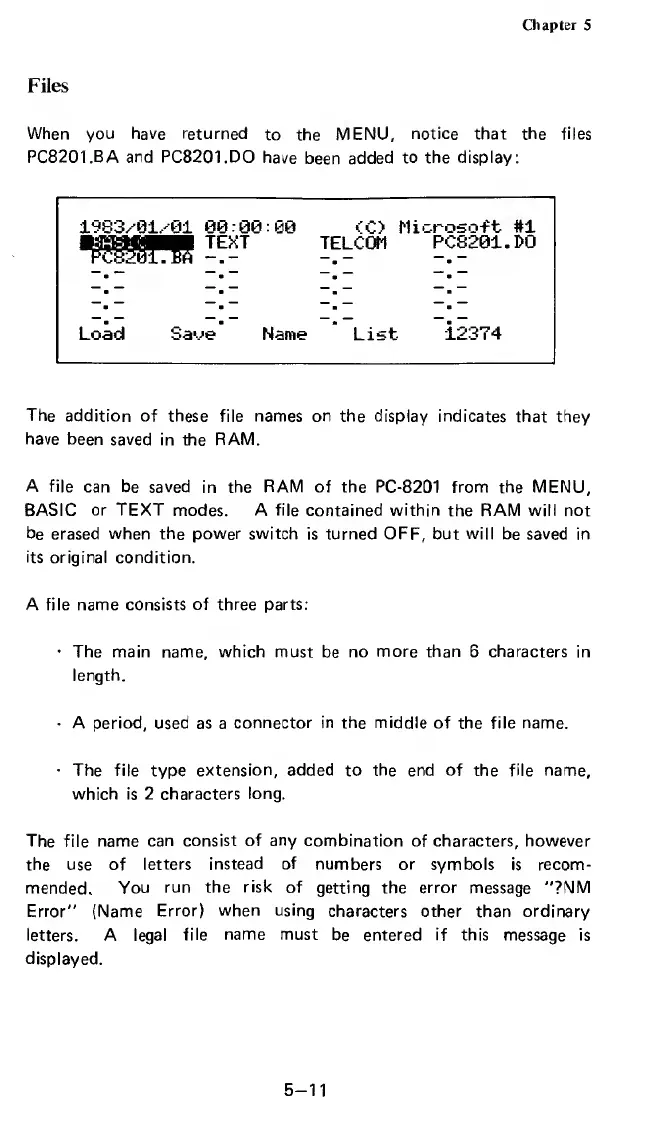
When
you
have
returned
to
the
MENU,
notice
that
the
files
PC8201.BA
and
PC8201.DO
have
been
added
to
the
display:
I'v
93,-
9
1,-91
09
00:00
<C>
Microsoft
#1
TEXT
TELCOM
PCS201.DO
Pc8201TBA
Load
Save
Name
List
12374
The
addition
of
these
file
names
on
the
display
indicates
that
they
have
been
saved
in
the
RAM.
A
file
can
be
saved
in
the
RAM
of
the
PC-8201
from
the
MENU,
BASIC
or
TEXT
modes.
A
file
contained
within
the
RAM
will
not
be
erased
when
the
power
switch
is
turned
OFF,
but
will
be
saved
in
its
original
condition.
A
file
name
consists
of
three
parts:
The
main
name,
which
must
be
no
more
than
6
characters
in
length.
A
period,
used
as
a
connector
in
the
middle
of
the
file
name.
The
file
type
extension,
added
to
the
end
of
the
file
name,
which
is
2
characters
long.
The
file
name
can
consist
of
any
combination
of
characters,
however
the
use
of
letters
instead
of
numbers
or
symbols
is
recom¬
mended.
You
run
the
risk
of
getting
the
error
message
"?NM
Error"
(Name
Error)
when
using
characters
other
than
ordinary
letters.
A
legal
file
name
must
be
entered
if
this
message
is
displayed.
5-11

Related product manuals