EasyManua.ls Logo

NEC PC-8201A - Page 84

NEC PC-8201A
219 pages
Print Icon
To Next Page IconTo Next Page
To Previous Page IconTo Previous Page
Loading...
Chapter
5
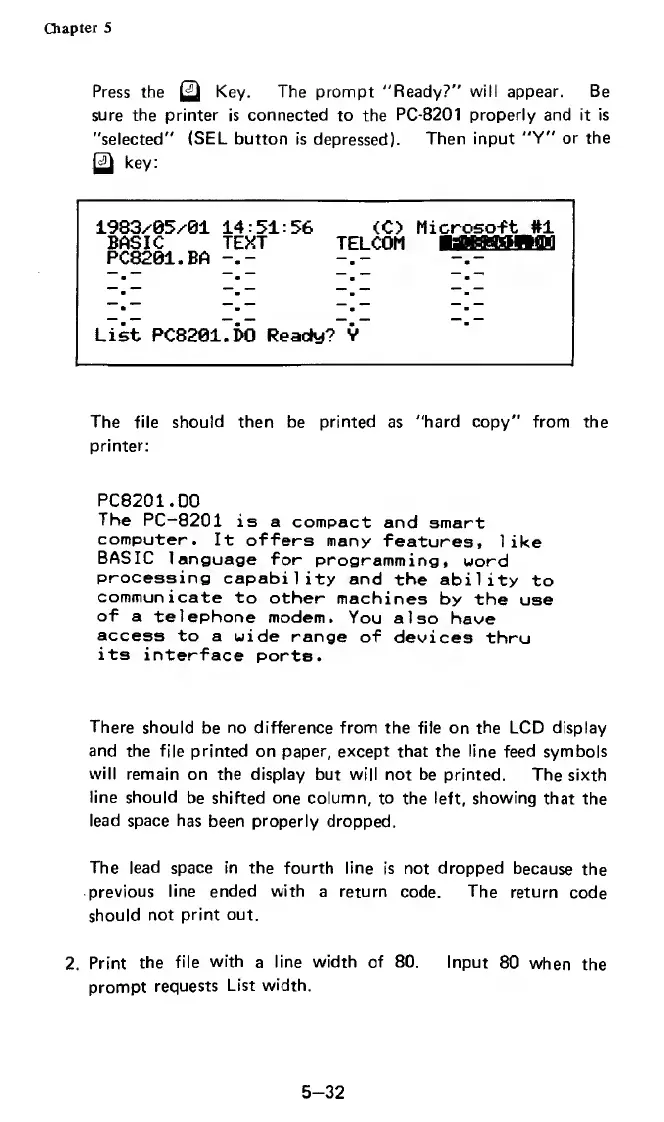
Press
the
^
Key.
The
prompt
"Ready?"
will
appear.
Be
sure
the
printer
is
connected
to
the
PC-8201
properly
and
it
is
"selected"
(SEL
button
is
depressed).
Then
input
"Y"
or
the
key:
1983y05y01
14:51:56
(C>
Microsoft
#1
BASIC
TEXT
TELCOM
PC8201.BA
“.
.
m
9
.
—"
1
.
.
.
B
m
—.
List
PC8201
.i>0
Ready?
V
The
file
should
then
be
printed
as
"hard
copy"
from
the
printer:
PC8201.D0
The
PC-8201
is
a
compact
and
smart
computer.
It
offers
many
features,
like
BASIC
language
for
programming,
word
processing
capability
and
the
ability
to
communicate
to
other
machines
by
the
use
of
a
telephone
modem.
You
also
have
access
to
a
wide
range
of
devices
thru
its
interface
ports.
There
should
be
no
difference
from
the
file
on
the
LCD
display
and
the
file
printed
on
paper,
except
that
the
line
feed
symbols
will
remain
on
the
display
but
will
not
be
printed.
The
sixth
line
should
be
shifted
one
column,
to
the
left,
showing
that
the
lead
space
has
been
properly
dropped.
The
lead
space
in
the
fourth
line
is
not
dropped
because
the
previous
line
ended
with
a
return
code.
The
return
code
should
not
print
out.
2.
Print
the
file
with
a
line
width
of
80.
Input
80
when
the
prompt
requests
List
width.
5-32

Related product manuals