E-3
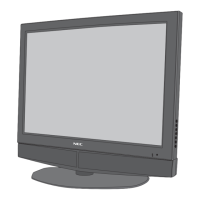
Front View
Part Names and Function
POWER/ STANDBY
PROCEED
INPUT SELECT
DOWN UP LEFT/
-
RIGHT/
+
/EXIT
VOLUME
PROCEED
INPUT SELECT
DOWN UP LEFT
/
-
RIGHT
/
+
/
EXIT
VOLUME
POWER
/
STANDBY
7
6
5
4
1
3
2
q Power
Turns the monitor’s power on and off.
w Remote sensor window
Receives the signals from the remote control.
e POWER/STANDBY indicator
When the power is on ............................. Lights green.
When the power is in the standby mode ... Lights red.
r INPUT SELECT / EXIT
Switches the input, in the following order.
The available inputs depend on the setting of “BNC
SELECT”.
RGB:
COMP.:
VIDEO:
SCART:
Functions as the EXIT buttons in the On-Screen
Menu (OSM) mode.
t LEFT/– and RIGHT/+
Enlarges or reduces the image. Functions as the
CURSOR (
/
) buttons in the On-Screen Menu
(OSM) mode.
y VOLUME DOWN and UP
Adjusts the volume. Functions as the CURSOR (▲/
▼) buttons in the On-Screen Menu (OSM) mode.
u PROCEED
Sets the On-Screen Menu (OSM) mode and displays
the main menu.
→ VIDEO1 → VIDEO2 → HD/DVD/DTV
RGB/PC3 ← RGB/PC2 ← RGB/PC1←
→ VIDEO1 → VIDEO2 → HD1/DVD1/DTV1
RGB/PC3 ← RGB/PC1 ← HD2/DVD2/DTV2 ←
→ VIDEO1 → VIDEO2 → VIDEO3
RGB/PC3 ← RGB/PC1 ← HD/DVD/DTV←
→ VIDEO1 → VIDEO2 → HD1/DVD1/DTV1
RGB/PC3 ← RGB/PC1 ← DVD2 ←





 To Next Page