E-5
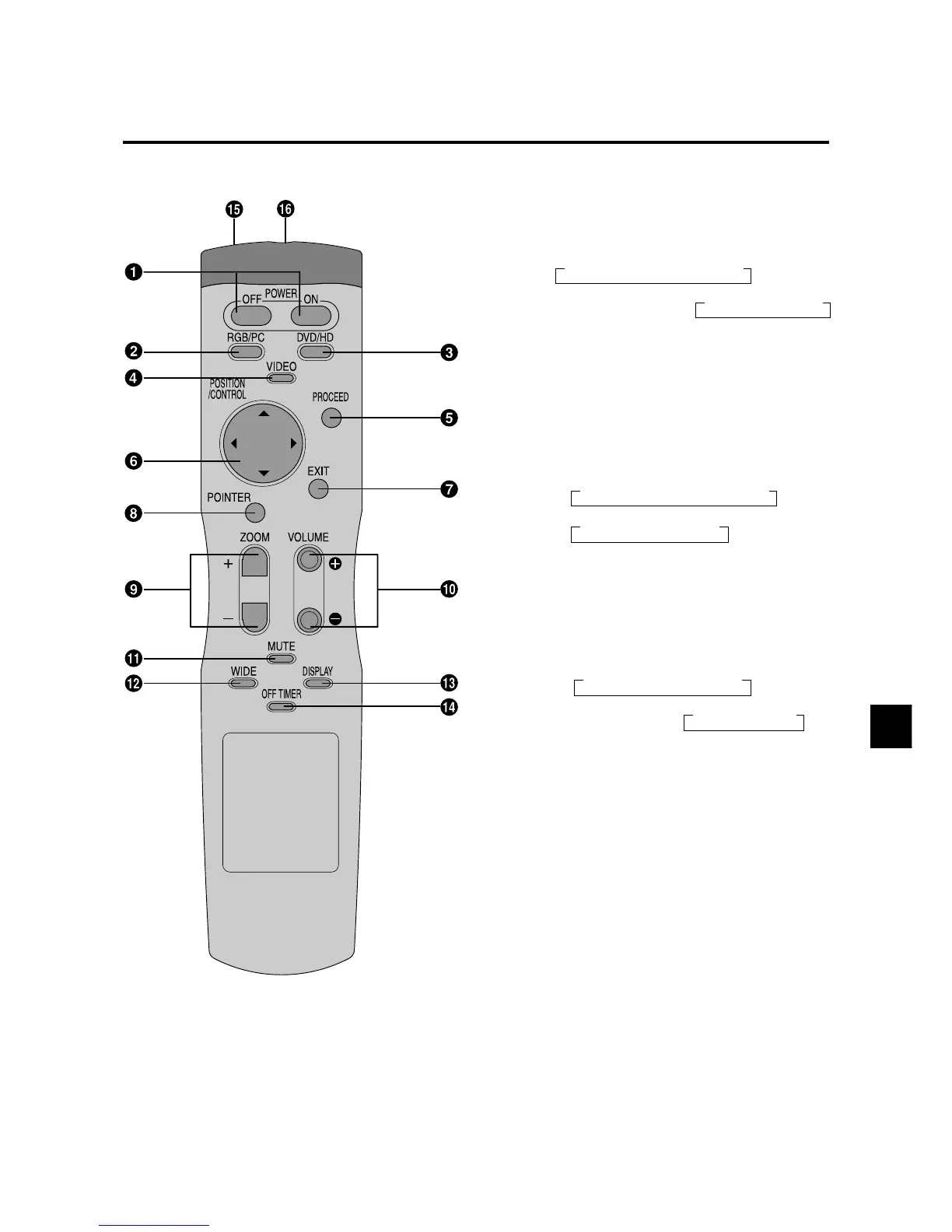
Remote Control
q POWER ON/OFF
Switches Power ON/OFF.
(This does not operate when POWER/STANDBY
indicator of the main unit is off.)
→ VIDEO1 → VIDEO2 → VIDEO3
→ VIDEO1 → VIDEO2
w RGB/PC
Press this button to select RGB/PC as the source.
The available sources depend on the setting of “BNC
SELECT”.
RGB:
COMP. or VIDEO or SCART:
RGB/PC can also be selected using the INPUT
SELECT button on the monitor.
e DVD / HD
Press this button to select DVD/HD as the source.
The available sources depend on the setting of “BNC
SELECT”.
RGB or VIDEO:
COMP.:
SCART:
DVD/HD can also be selected using the INPUT
SELECT button on the monitor.
r VIDEO
Press this button to select VIDEO as the source.
The available sources depend on the setting of “BNC
SELECT”.
VIDEO:
RGB or COMP. or SCART:
VIDEO can also be selected using the INPUT SELECT
button on the monitor.
t PROCEED
Press this button to access the OSM controls.
Press this button during the display of the main menu
to go to the sub menu.
y CURSOR (▲ / ▼ /
/
)
Use these buttons to select items or settings and to
adjust settings or switch the display patterns.
u EXIT
Press this button to exit the OSM controls in the main
menu. Press this button during the display of the sub
menu to return to the main menu.
i POINTER
Press this button to display the pointer.
o ZOOM (+ /–)
Enlarges or reduces the image.
!0 VOLUME (+ /–)
Adjusts the sound volume.
→ RGB/PC1 → RGB/PC2 → RGB/PC3
→ RGB/PC1 → RGB/PC3
HD/DVD/DTV
→ HD1/DVD1/DTV1 → HD2/DVD2/DTV2
→ HD1/DVD1/DTV1 → DVD2






 To Next Page