E-8
Installation
Note:
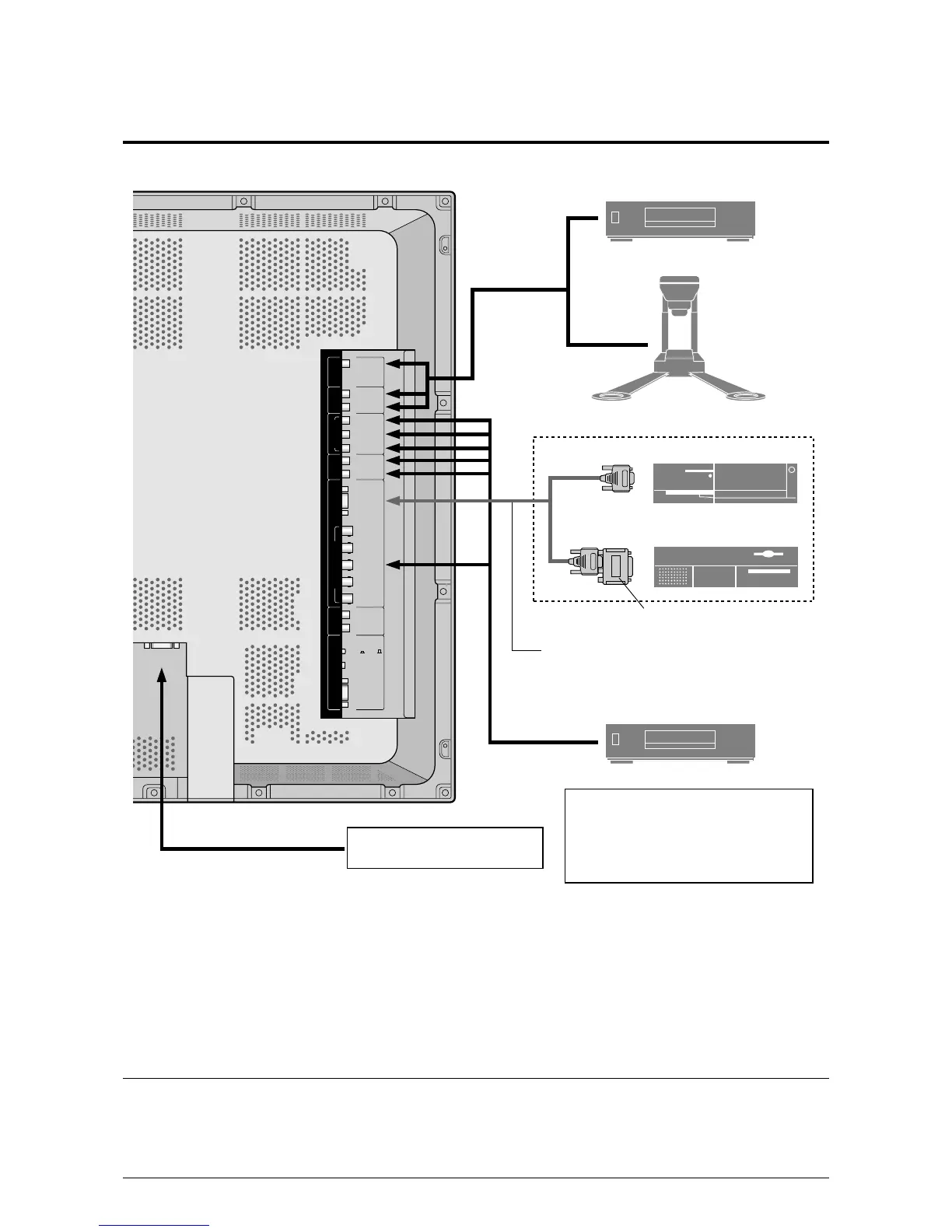
This plasma monitor has the capasity to display images when connected to European DVD players with a SCART
output signal, which is RGB with composite sync.
Your dealer can supply a special SCART cable, which will enable you to use the RGB with composite sync signal.
To obtain the special cable as well as for further information, please contact your dealer.
Please refer to page E-35 for selection of the correct mode in the on-screen manager.
RGB 3
(
Digital RGB
)
VIDEO 1
VIDEO 2
REMOTE
CONTROL
RGB 1
L
(
MONO
)
L
(
MONO
)
G/Y
/VIDEO 3
HD
VD
R
R
Y
L
(
MONO
)
R
EXTERNAL
CONTROL
AUDIO 2 DVD1/HD1AUDIO 3 AUDIO 1RGB2/DVD2/HD2
CONTROL
LOCK
ON /OFF
R/C
R
/P
R
B/C
B
/P
B
C
B
/P
B
C
R
/P
R
IBM VGA or
Compatibles
Monitor adapter for
Macintosh
Macintosh or Compatibles
(Desk top type)
VCR or Laser Disc Player
Document Camera
To video inputs on
the plasma monitor
DVD Player
Signal cable (supplied)
To Mini D-Sub 15 pin connector on the plasma monitor
Personal computer with a
digital RGB output
• For Y/CB/Cr, connect to the DVD1 or DVD2
terminals.
• For RGB + composite sync., connect to the
DVD2 terminals.
For composite sync., connect to the HD
terminals.




 To Next Page