E-6
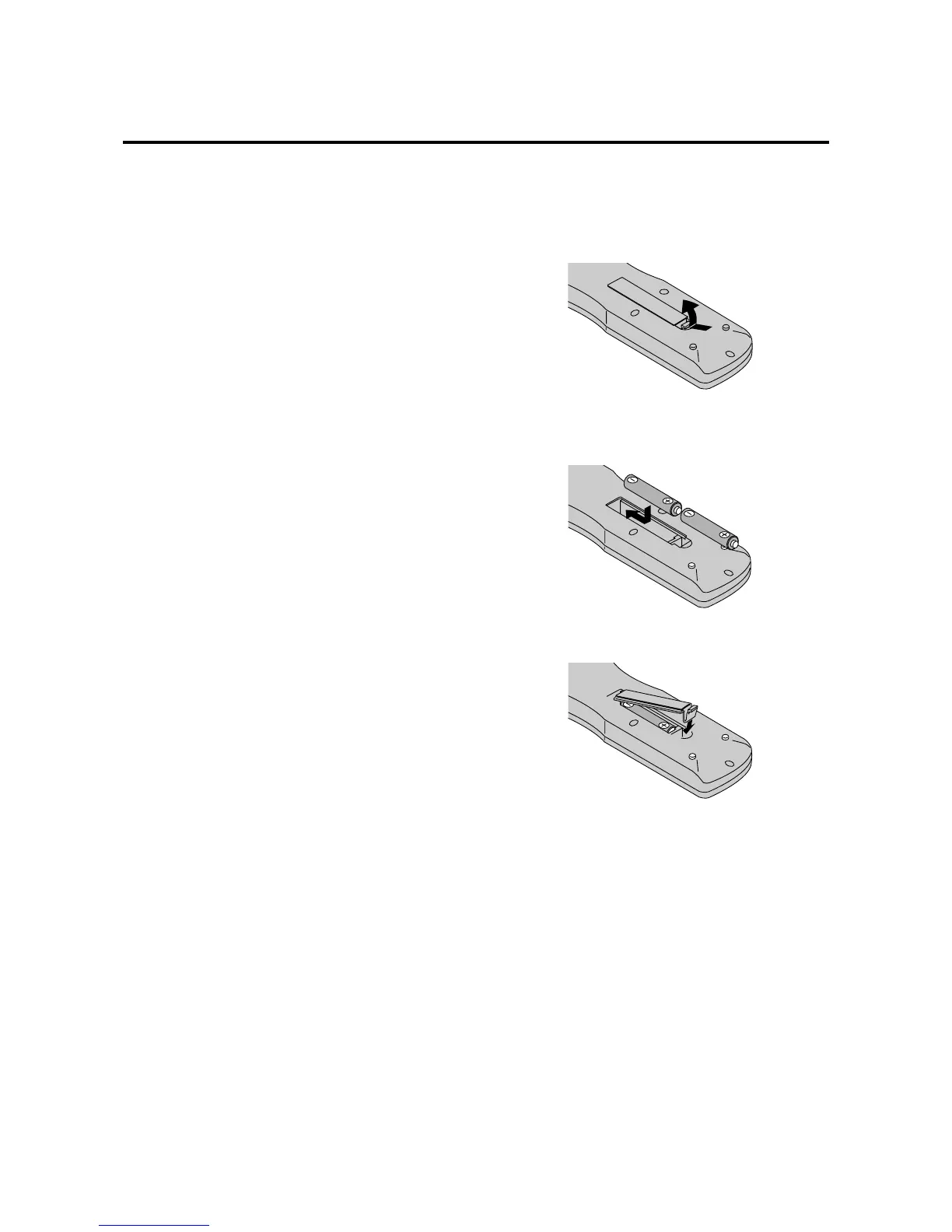
Battery Installation and Replacement
Insert the 2 “AAA” batteries, making sure to set them in
with the proper polarity.
1.Press and open the cover.
2.Align the batteries according to the (+) and (–) indication
inside the case.
3.Replace the cover.
!1 MUTE
Mutes the sound.
!2 WIDE
The type of broadcast is detected automatically, and
the recommended wide screen is set.
!3 DISPLAY
Displays the source settings on the screen.
!4 OFF TIMER
Activates the off timer for the unit.
!5 Remote control signal transmitter
Transmits the remote control signals.
!6 Remote Jack
Insert the plug of the supplied remote cable here when
using the supplied remote control in the wired
condition.





 To Next Page