System Overview 1-7
Back Features
The system's secondary lithium-ion (Li-Ion) battery or an optional Extra Life Li-Ion battery can
be installed in the battery bay at the back of the notebook.
Left Side Features
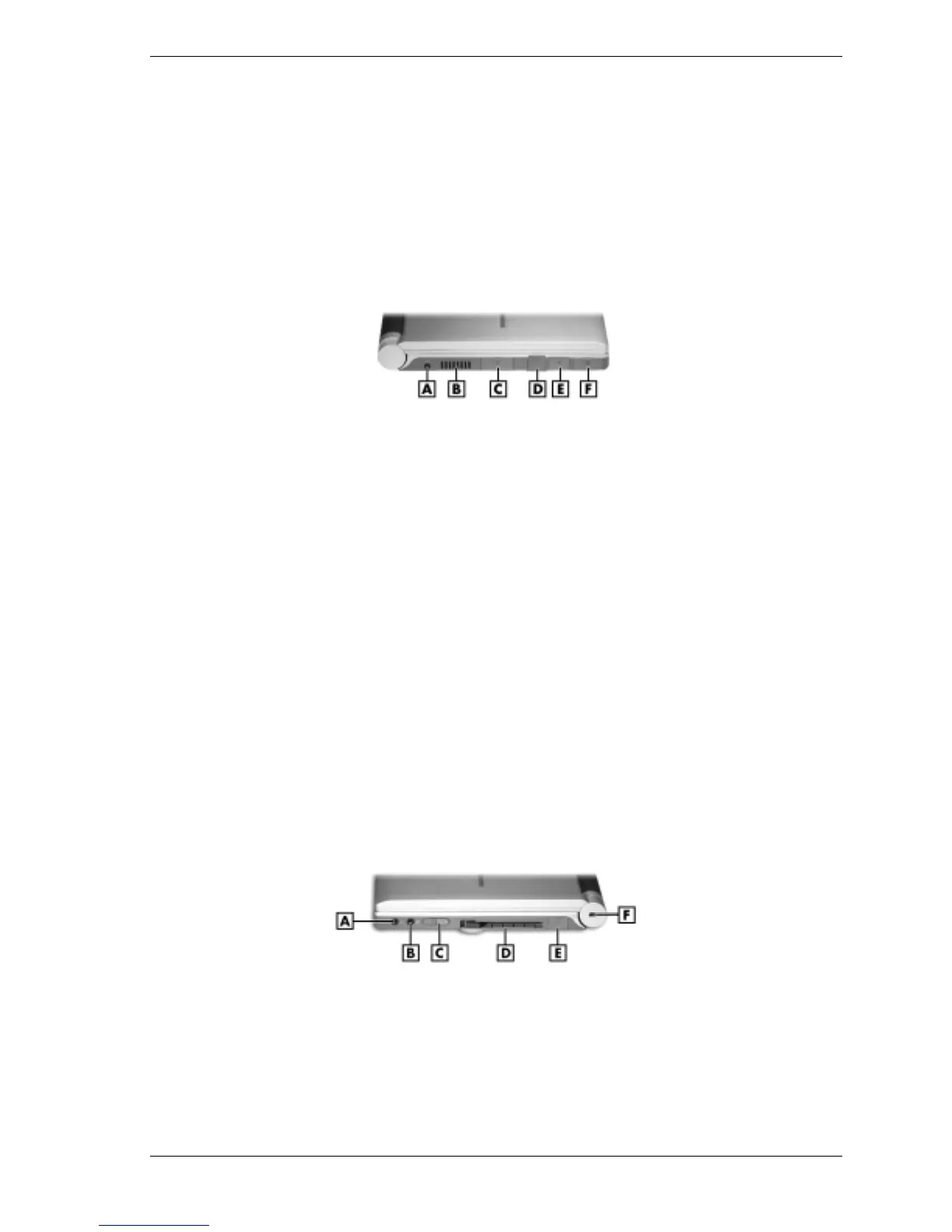
The left side features are shown in the following figure. Feature descriptions follow the figure.
Left-side features
A – AC Power Port D – RJ-11 Jack
B – Vent E – USB Port
C – External Monitor (Video) Port F – LAN Cable Jack
!
AC Power Port — Attaches the notebook to a power source, such as the AC adapter.
!
Vent — Allows the system to cool properly and maintain a safe operating temperature.
!
External Monitor (Video) Port — Use this port to attach an external monitor to the
notebook. The LCD display and external monitor can be run simultaneously or run alone.
!
RJ-11 Jack — Connects the internal modem to an analog telephone line.
!
USB Port — The Universal Serial Bus (USB) port allows connection of up to 127 USB-
equipped peripheral devices (printers, monitors, scanners, etc.).
!
LAN Cable Jack (optional) — If the system has this feature, the system ships with a local
area network (LAN) adapter cable to connect the jack to a LAN.
Right Side Features
The right side features are shown in the following figure. Feature descriptions follow the figure.
Right-side features
A – Headphone Jack/External Speakers D – PC Card Slot
B – External Microphone Jack E – USB Port
C – Power Button F – Kensington
®
Lock Slot
!
Headphone Jack/External Speakers — Connect an external headphone set or speakers to
this jack. Plugging in headphones disables the built-in system speakers.



 To Next Page