System Configuration and Setup 2-7
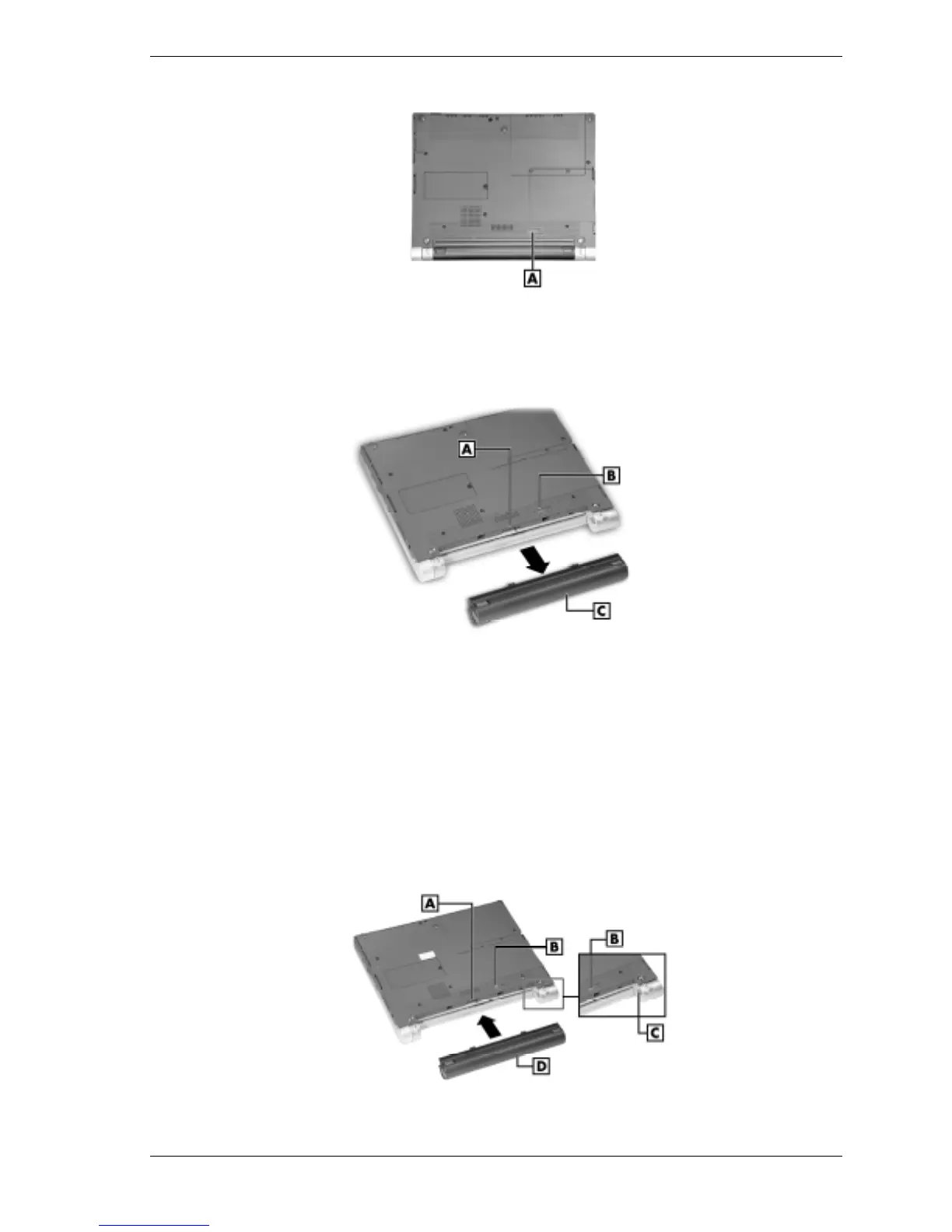
Locating the battery bay release latch
A – Battery Release Latch
4.
While holding the battery release latch to the right, slide the battery out of the notebook.
Removing the secondary battery
A – Battery Bay Connectors C – Secondary Li-Ion Battery
B – Battery Bay Release Latch
5.
Install the new secondary (or optional Extra Life) battery as follows:
! Locate the alignment grooves on the edge of the battery and inside the battery bay (see
the following figure).
! Align the grooves on the battery with the grooves in the bay.
! Slide the battery into the bay until it is securely locked in place.
6.
Turn over the notebook.
Installing the secondary battery
A – Battery Bay Connectors C – Alignment Grooves
B – Battery Bay Release Latch D – Secondary Li-Ion Battery



 To Next Page