Hub-Q
For the regular and more advanced Nemo-Q queuing systems, using a NQHUB5 or NQHUB6, you can
connect the wireless system to utilize the remote controls instead of hardware and software panels.
Connecting a NQ Receiver into a NQHUB unit allows you to use up to 32 NQ Remote controls for
individual workstations.
Hardware
The hardware for using NQ Remote controls with a NQHUB system solely consists of the NQ
Receiver. No power adapter is used when connecting the NQ Receiver to a NQHUB. It uses power
directly from the NQHUB unit.
NOTE: No power adapter is necessary when connecting the NQ Receiver to a NQHUB.
Remote controls broadcast on frequency: 433, 46 MHz
Installation
NQ Receiver
We use a dipswitch to distinguish what system the NQ Receiver is working as. The dipswitch
configuration for the Hub-Q system is setting dipswitch 2 to on.
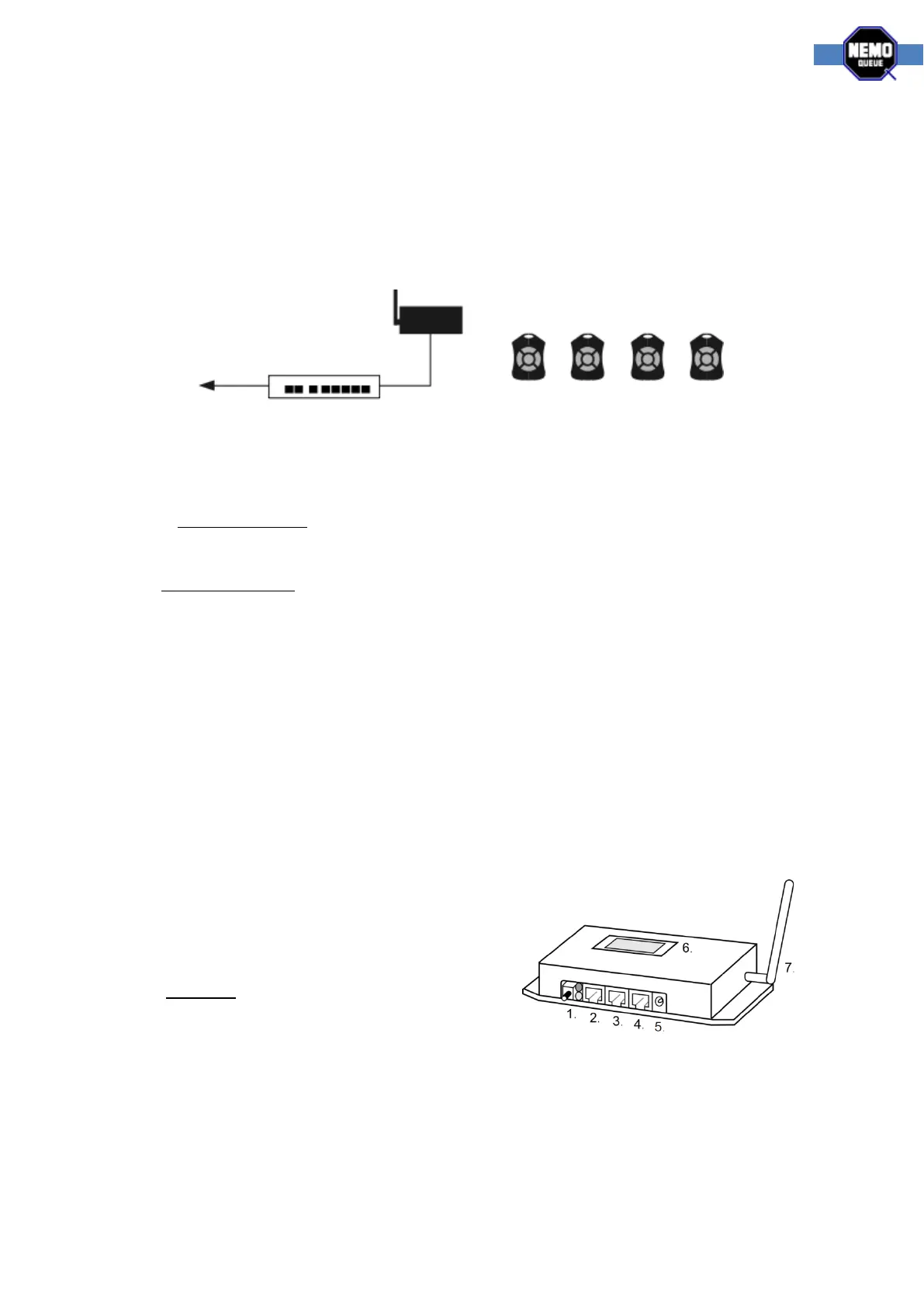
The image below and the labels on the NQ Receiver show you where the cables go.
1. Link button, used for adding new NQ Remote
controls to the system
2. Not used for Hub-Q
3. Connect directly to a NQHUB panel port
4. Not used for Hub-Q
5. No power is used for Hub-Q
6. Small display, used for configuring the system
7. Antenna, packed separately and screwed on
Setup
Use a standard cat-5 network cable to connect the middle port on the NQ Receiver to a standard
panel port on the NQHUB unit. Default panel ports on the NQHUB are 1, 2 and 3.



 To Next Page