Configuration
The basics
After linking your new NQ Remote to the system you use it to access the configuration menu and
change the default settings. Each new remote that is linked to the system needs to access the
configuration and set what workstation to when calling customers. The small LCD display on the
receiver is used to view and configure the system options.
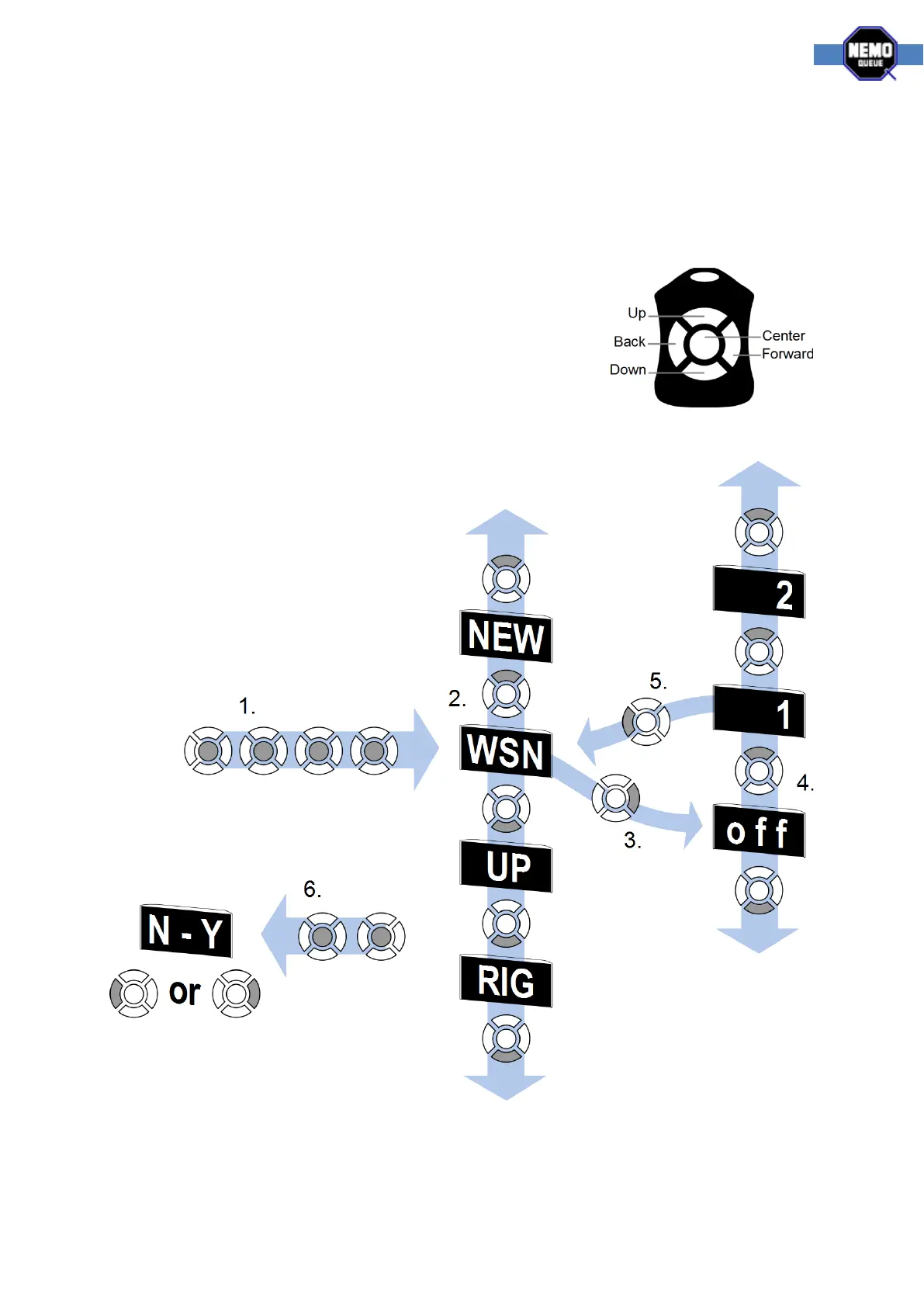
Use the up / down buttons to navigate the menu
The forward button to access an option
In a menu option, use the up / down to change its value
Use the back button to return to the menu
General configuration navigation
This diagram shows the basic principle of navigating the configuration. A detailed description follows.



 To Next Page