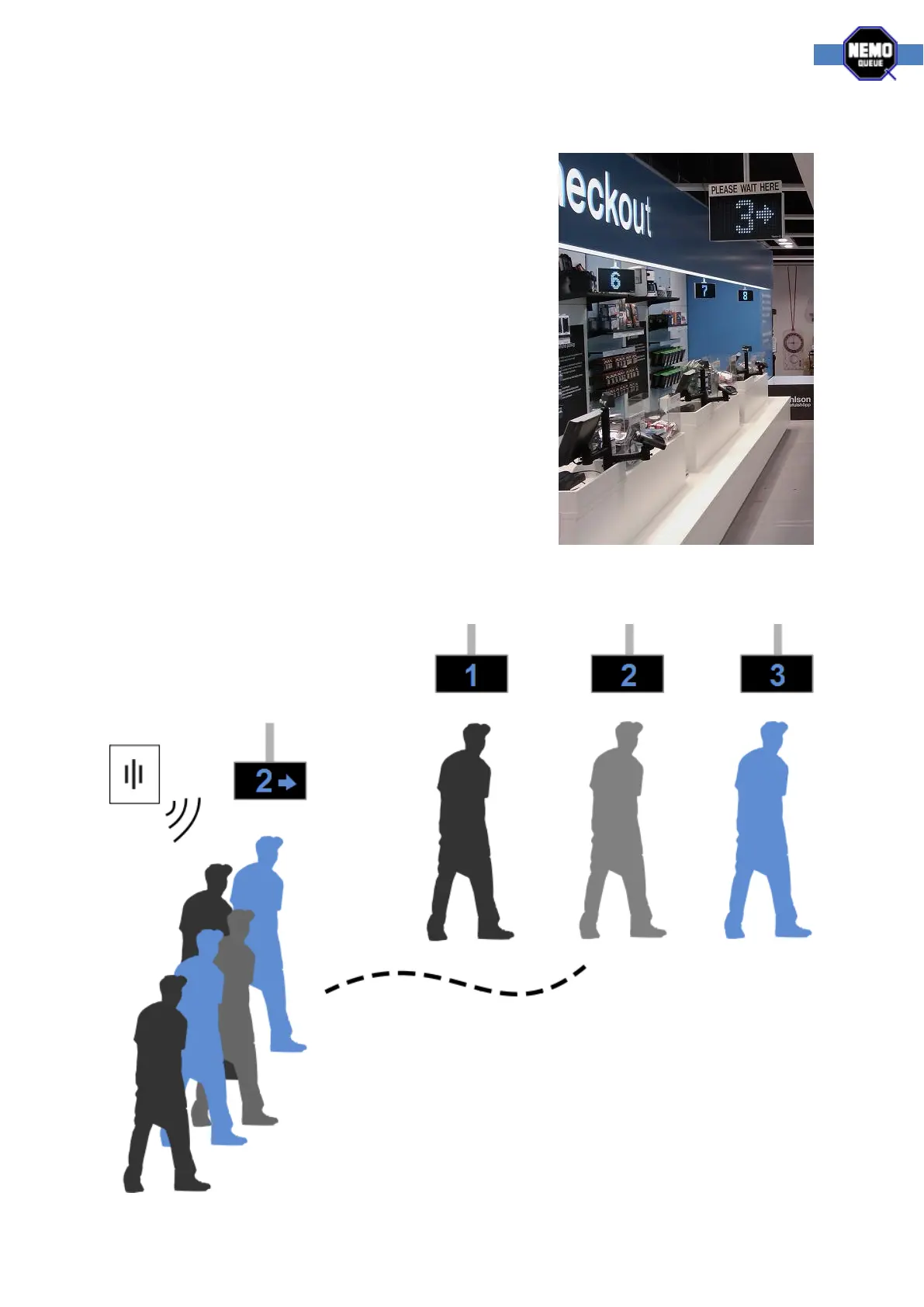
Single-Q system
When the checkout process is so fast that it doesn’t merit the
use of a traditional ticket queuing system we use the Single-Q
system to direct the queue flow. Using a remote control the
workstation personnel calls the person next in line to their
workstation. A main display at the front of the queue,
together with sound and voice announcement, tells the
customer what workstation to approach. Each workstation
can in turn have a blinking indicator to further emphasize
where to go.
The remote control is used to call customers, configure and
link new remote controls to the system. A remote control can
also be linked using the link button directly on the receiver
central unit (the configuration section will explain further).
The image below shows you the basic concept of a Single-Q
system.



 To Next Page