Setup and startup
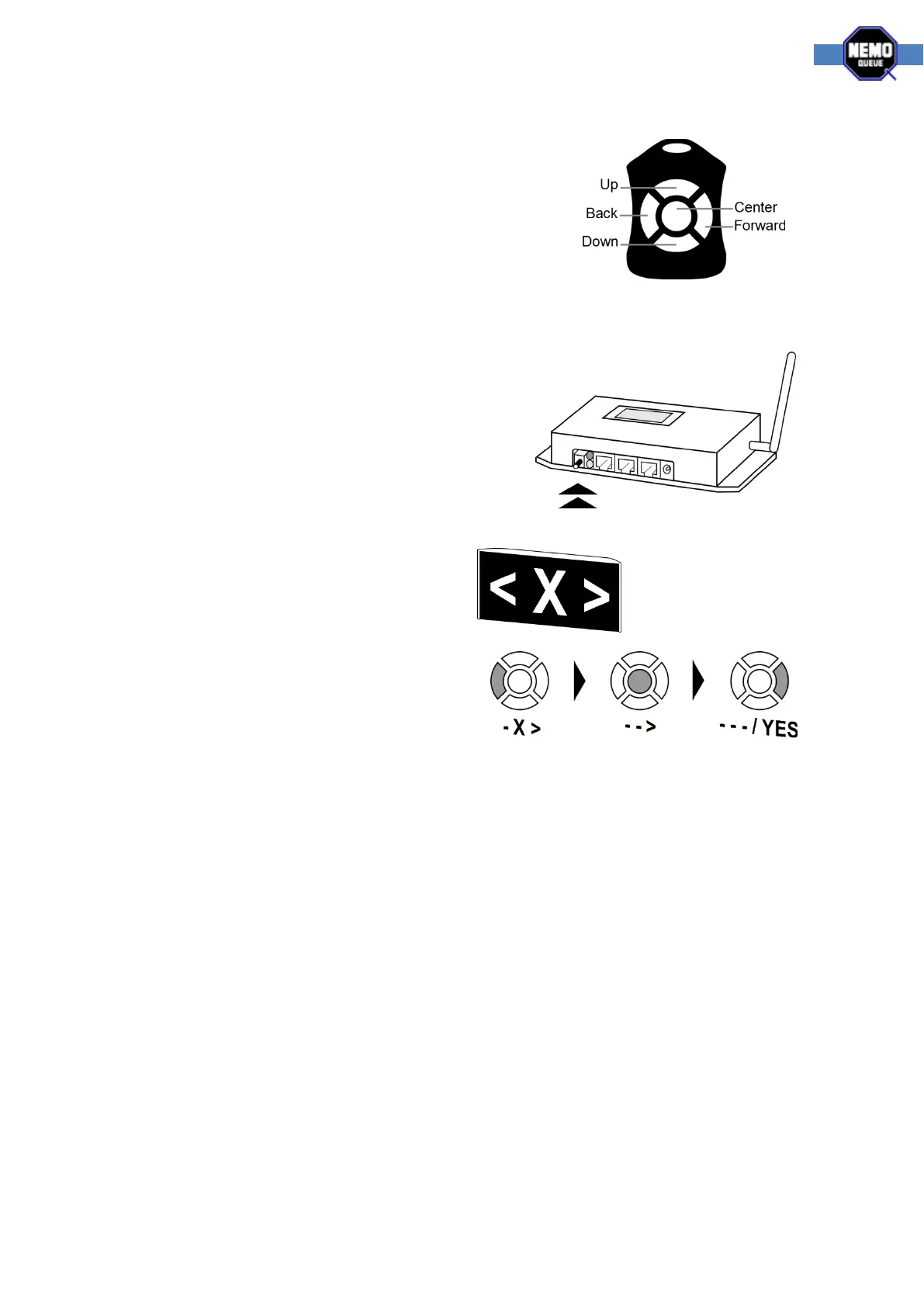
Please take the time to get acquainted with the button layout of
the NQ Remote control in the image. Note that the hole indicates
the top of the device.
Linking via NQ Receiver
To link a NQ Remote using the Link button you must first
locate the receiver unit. If you have any trouble with this
please contact your local reseller.
Once you have located the receiver you can find the Link
button to the left of the LED lights. Follow the instructions
below;
1. Press the Link button on the receiver.
The display will show this pattern.
2. You now have 10 second to press the back,
center and forward buttons in sequence.
3. As you press the buttons, the display
changes characters. When complete, the
display flashes YES. You can now move on to configure using the instructions that follow. If
you can't access the configuration you need to press the Link button and try again



 To Next Page