See also Network Settings and SIM Card Errors in this Manual
Security Settings
In this menu, you can protect your device against unauthorized use.
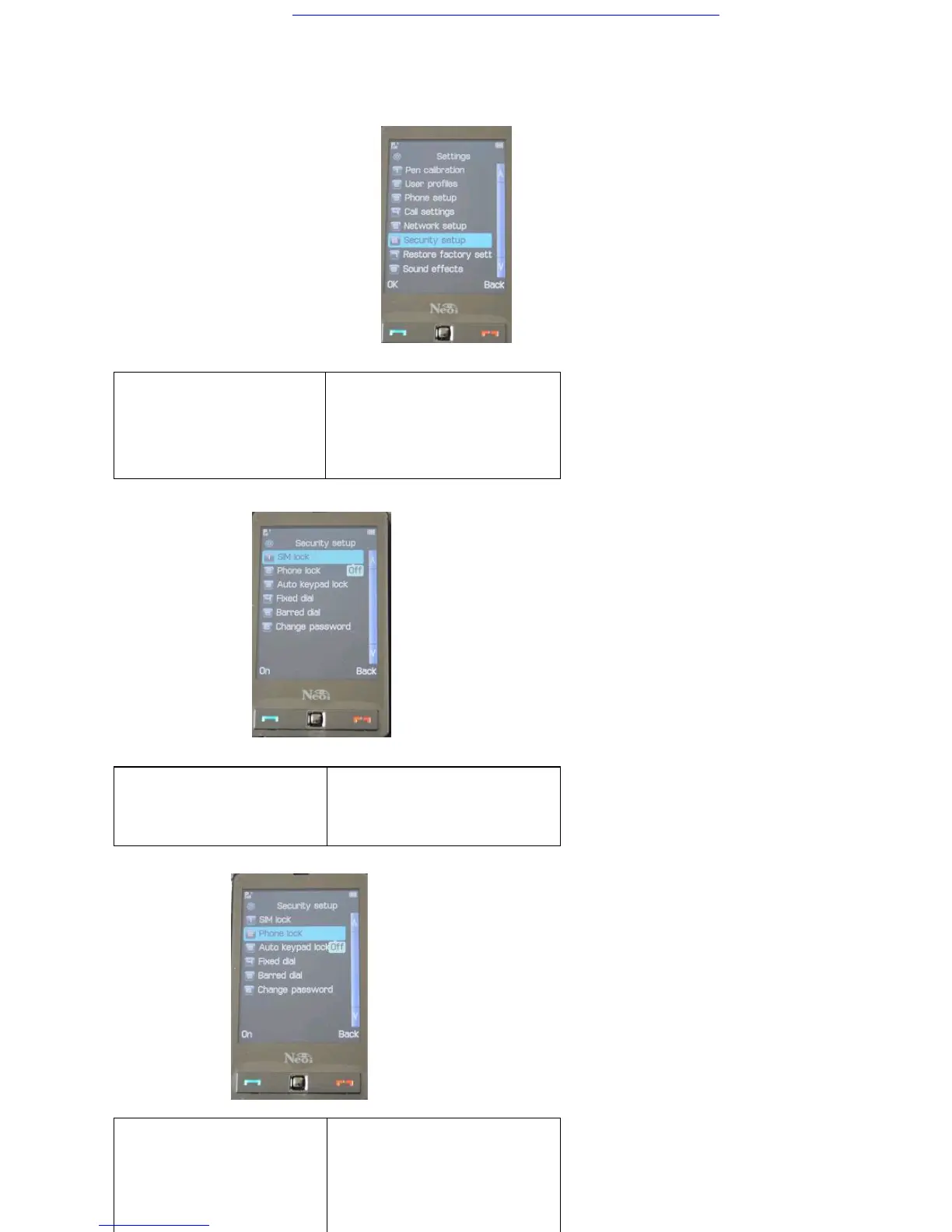
Menu > Settings > Security Setup
>Sim Lock default OFF
> > Phone
Lock default OFF
>>
Keypad / Touch Screen Lock shall be
SIM Card Lock
If this function is enabled,
you need to enter the PIN
upon each start-up, thus
protecting your device
against unauthorized use. To
disable this function, you
also need to enter the PIN.
Phone Lock
If this function is enabled,
you must enter the phone
code upon each start-up.
Note: The original phone
code is 0000.
Keypad Lock
Set the automatic keypad
lock of your device, press
Confirm to enter the Setting
screen. Select Off (to
invalidate keypad lock
function), 5sec, 30sec,
60sec, or 5min to lock the
keypad when no operation is



 To Next Page