KeysandtheirFunctions
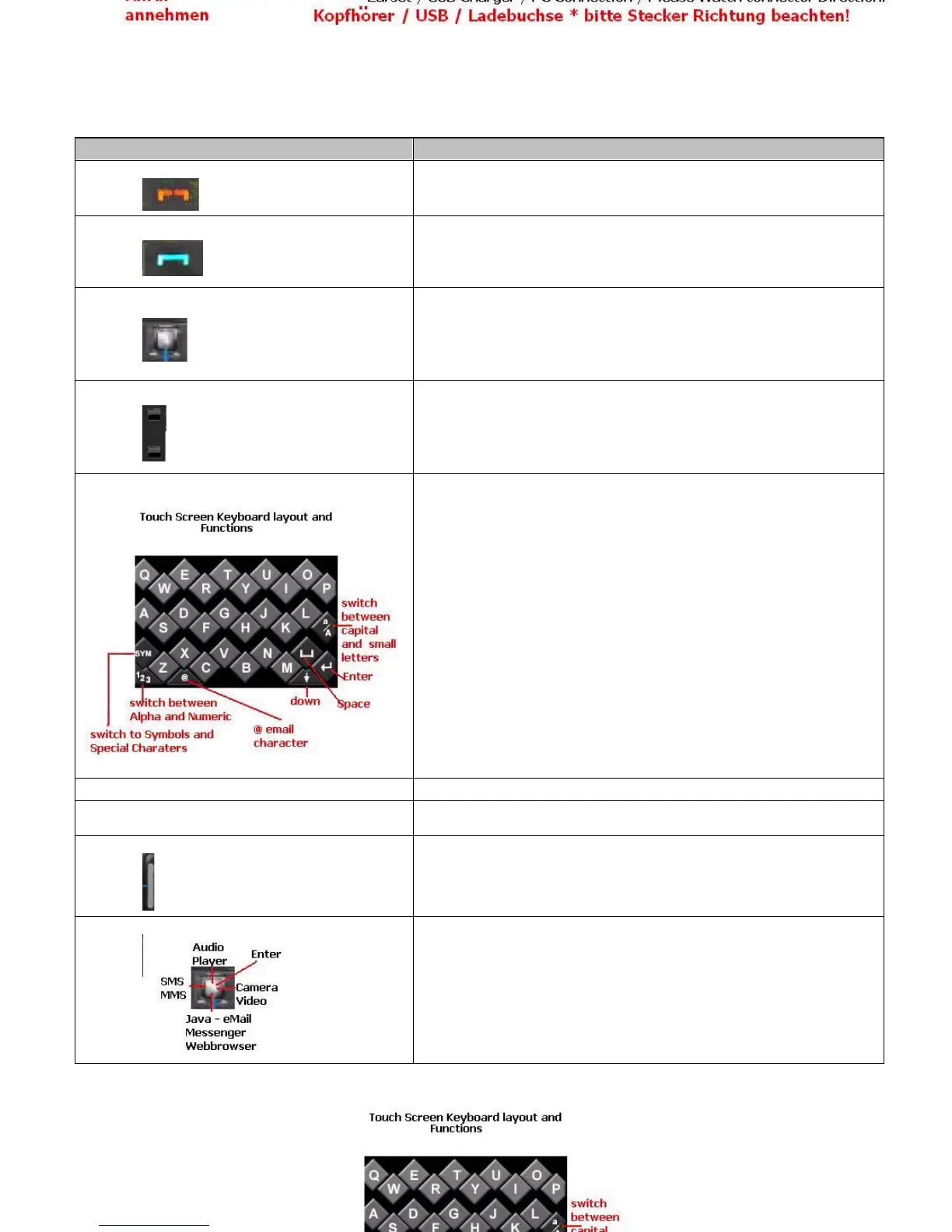
Thetablebelowliststhemajorfunctionsofyourphonekeys
Keyboard Options
Key
Function
End key
•
Press and hold to switch your device
“
on
”
and
“
off
”
.
•
Press once to end a call or reject an incoming call.
•
Press during navigation to return to home screen.
Dial/Send key
•
Press to make an outgoing call or answer an incoming call.
•
In home screen, press to view the list of dialled calls.
Up / Down / Left / Right /OK
•
Use these to navigate through menus and tabs.
•
From home screen, each one of the actions leads to a corresponding
shortcut.
•
You can also specify your own by going to
“
Setting > Phone Setup
”
from
the menu.
•
Press to confirm the selected function.
Left / Right soft key
•
Press to select the options shown on the screen.
•
In home screen, press the right soft key and # key immediately after to
lock the keypad.
After the keypad is locked, press Right Soft Key and press # key
immediately to unlock it.
On Screen Touch Keyboard
•
Dial numbers in home screen mode to dial a phone number.
•
Press the corresponding number key in the Sub Menu to reach the
specified function quickly.
•
Press and hold key 2
–
9 for speed dial.
•
Press and hold key 1 to enter the voicemail service.
* key
•
In home screen mode, press twice to enter
“
+
”
for international calls.
# key
•
In home screen mode, press and hold to switch between current profiles
and Vibrate mode.
Volume key
•
In home screen mode, press the volume keys located on the side of the
phone to adjust key volume of the device.
•
In call mode, use these keys to adjust volume of the ongoing call.
Quick Access Keys
•
This keys will allow you to go directly to the camera
To a specific function.



 To Next Page