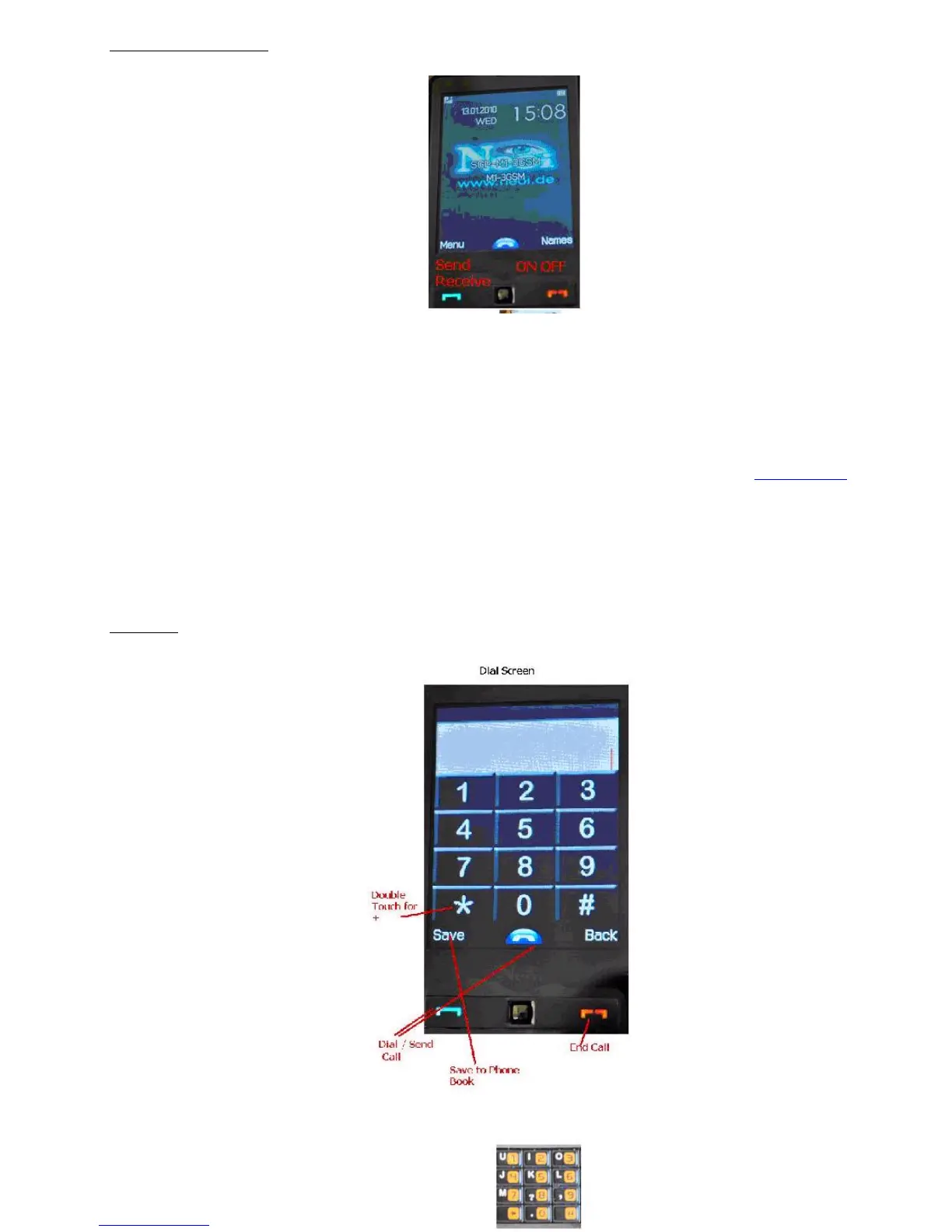
The Basics
Basic Operations of the Phone
Switch-on & off
PressandholdEndkeytoswitchonthedevice.Oncethedeviceisturnedon,ashortanimationwillplayandthentakeyoutothehomescreen.
Entering PIN
If no password is set to your phone or your SIM card, your phone will search for the network automatically after switching on. After successful
subscription, the phone will be connected to the network and you will be able to start using the functions on your phone.
If a start-up password has been set to your phone, you need to enter the correct password to proceed upon each start-up. The original device
password is
“
1122
”
, or
„
0000
“
You can set a protection code (PIN) to protect your SIM card against unauthorized use. After the PIN is set, you are required to enter the PIN each
time when you switch on your phone. When you enter your PIN, each digit appears as *. Then, press left soft key to confirm your input. After the
phone is unlocked, the subscribed network and signal strength will appear on the screen.
If you enter the wrong PIN three times consecutively, the SIM is blocked. To unblock it, please contact your service provider.
If you do not know the PIN, please contact your service provider.
If the message
“
insert your SIM card
”
appears on the screen after start-up, press End key to switch off the device and check if the SIM card has been
properly installed.
AlsopleasecheckyourSIMcardforanydamages.ClickformoreinformationonNetworkSettingsfor
Invalid SIM Card.
Message.
Calling
Using the Hand free
When you plug the earphone into the slot, the mobile phone automatically changes to the Hand free mode. The earphones can be used as both the
receiver and speaker.
Note: If you use a Bluetooth device, the Phone also switches automatically to a hands free Bluetooth profile. See the Bluetooth settings for more
information.
Switch-off
To switch off your phone, press and hold the End key in home screen mode. The phone will be switched off after paying a short animation. Never
switch off your phone directly by removing the battery. If you do this, the data that has not been saved to the SIM card or the phone may be lost
or may cause damage to your SIM card or Mobile Phone !
Calling
Call Settings
Making Calls
You can make calls only after your phone has connected to the network and you are within network coverage area.
In home screen mode, enter numbers through the keypad, and press Dial to make calls, or press left soft key after dialling to save numbers.
Forthe907useindiallingmodedirectlytheNumberKeyboard.



 To Next Page