Plug the charger into a power socket.
Once connected, you will see the
“
Charging
”animationonyourphone.Afterthebatteryisfullycharged,disconnectthechargerfromthepower
socket,
andgentlypulltheconnectorfromyourphone.
Do not connect or disconnect the plug of the charger forcibly; otherwise, the device or the charger could be easily damaged.
Battery icon on the screen
When the battery is being charged, the indicator bar scrolls repeatedly.
After the battery is fully charged, the indicator bar stops scrolling.
If your device is off, you will see your screen light up and an animation will play that says
“
Charging
”.
Please wait for a few minutes for this to display
if
your device is turned off.
If your battery has been un used and completely drained for a long period of time, it may take several minutes before your phone will start charging.
Low battery alarm
When the battery is running low, a short warning tone will be played. The device will give these warning tones several times before automatically
turningoff.
Itisbesttofindapowersourceassoonasthefirstwarningtoneisheard.Ifyougetthelowbatteryalarminacall,pleaseendyourcall
immediately.
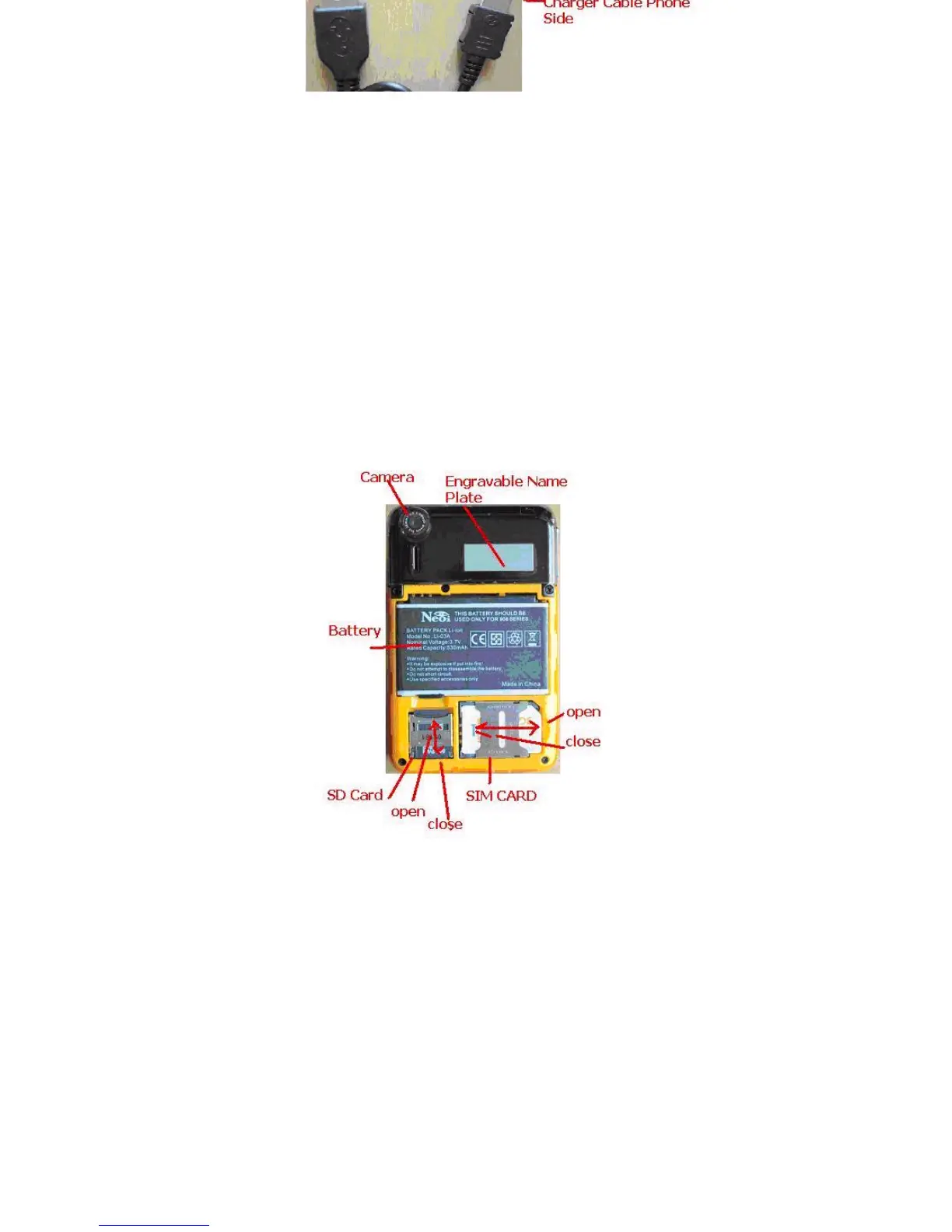
InsertingandRemovingtheMicroSDmemoryCard
TheMicroSDCardislocatedatthebottomofyourdevice.Itisthelongeroneoutofthetwothatarepresent.Slidethecoveropengently.
To install the Micro SD Card, put the metal contacts of the card face down and slide the card into the slot until it clicks in place.
To remove the Micro SD card, press the card inwards until it clicks and the spring action will force it outwards.
Note:
Never insert any other object except the Micro SD card into the card slot.
Do not paste any label or other object on the Micro SD card as any slight change to thickness of the Micro SD card might make the insertion or
removal
difficult, or even result in being jammed.
Be extremely careful not to scratch the Micro SD card or bend the metal contacts when inserting or removing the card.



 To Next Page