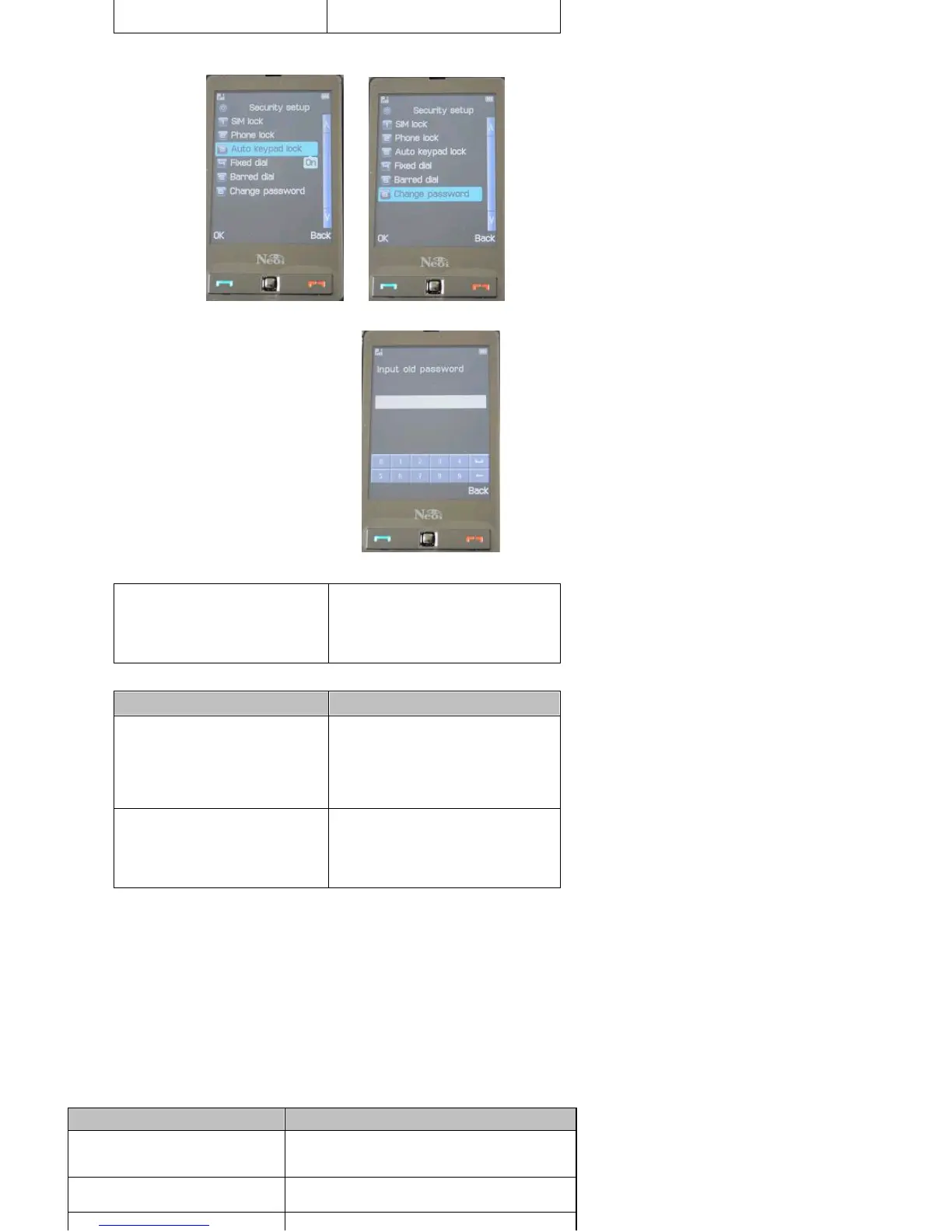
settoON>>selecttime>>ForchangeofPasswordsgo
to > > Pin 1 and Pin 2 are given by the SIM card provider>
NeoiPhonePasswordandFactoryresetPassworddefaultiseither000or
1122 > > input always old password first
to change any password!
Restore Factory Setting
Menu > Settings > restore Factory Setting
Rest all user settings and restore factory settings. To do this, you need to enter the phone lock code (the default code is
0000 or 1122).
Sound Effects
Menu > Settings > Sound Effect
Set the equalizer, for example, no change, S.WOOF, dance music, classic music, alt, feast, pop music, rock and roll.
Personalize
Profiles
Menu > Settings > User Profiles
The device provides several modes: Standard Mode, Meeting Mode, Outdoor Mode, Indoor Mode, and Hands free Mode.
When you connect the earphone, the device will turn to Hands free Mode automatically.
In standby mode, you can switch between Silent Mode and current mode by pressing the # key for a few seconds.
For each mode, you can set the following options in Personal Settings menu.
Personal Settings
made on the device within
the specified time.
Change Password
Set a new password,
including PIN1, PIN2 and
phone lock code. Please
remember your new
password.
Option
Description
Fixed Dialing
The fixed dialling function
allows calls to be made only
to certain numbers saved in
Fixed Dialling list. The fixed
numbers are protected by
your PIN2.
Restricted Dialing
The restricted dialling
function requires network
support and is used to
restrict your outgoing and
incoming calls.
Option
Description
Sounds
Set the Ring tone, Alarm Signal,
On/Off Sound, Message Alert, and
Key Sound.
Volume
Adjust the volume of Tones and
Key Sounds.
Several ringing modes are available



 To Next Page