Menu > Multimedia >Audio Player
Theaudioplayerofyourdevicecanbeusedtoplaymusicfilesandsetmusicfilesasincomingcalltones.
TheNeoiDevicesdousathelowmemoryconsumingAACformat.IfYouwanttoplayMP3filesorotherformats,youhavetoconvertthemto
the AAC format. The sound quality and memory consumptio of AAC is superior to all otehr formats.
Youcandownloada3rdPartyapplication„
Format Factory
„
from the Neoi website. Note: In order to support 3rd party applications and get
updates fro your Neoi Phones, you need to buy a yearly support and license package from Neoi.
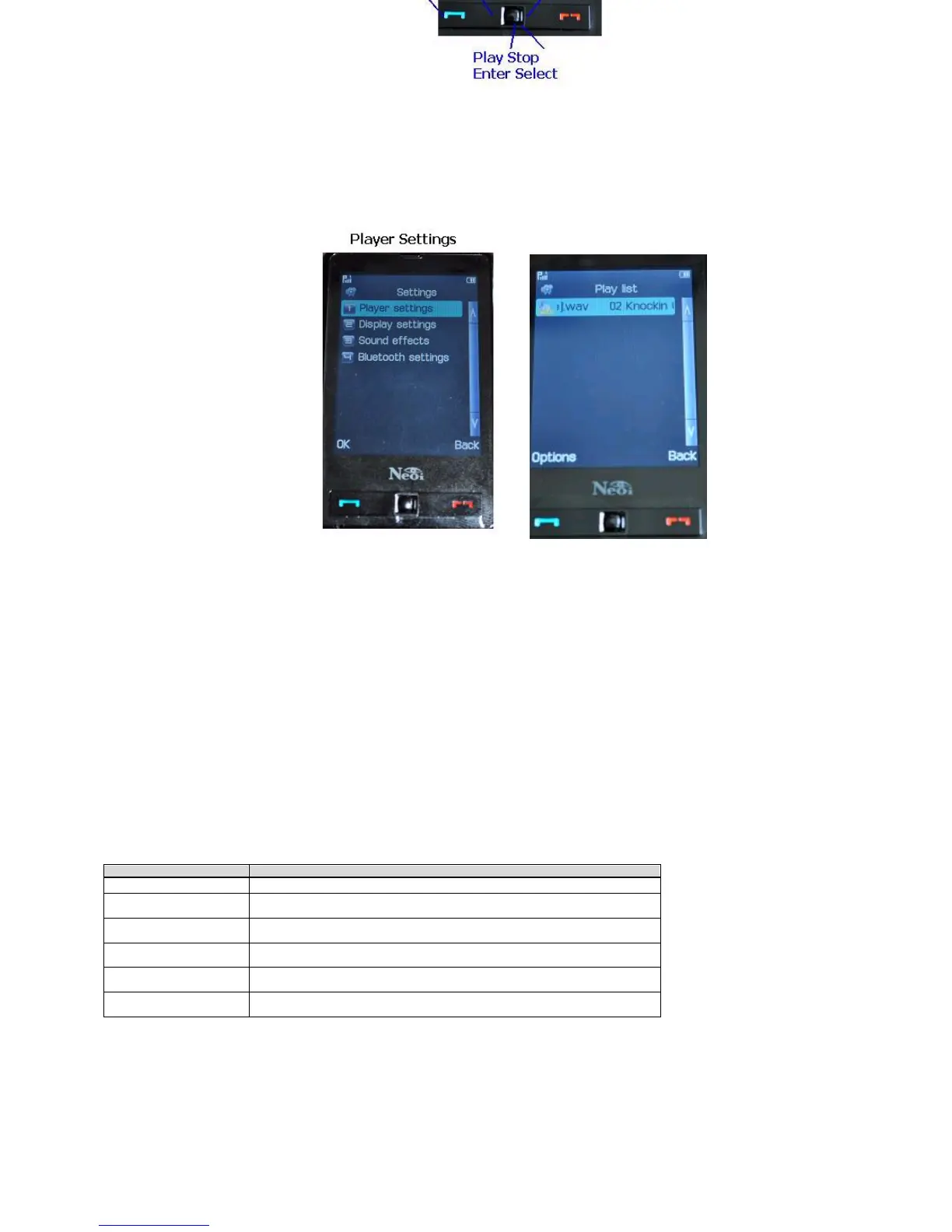
On the audio player screen, press Up to Play, press Down to Stop, press Left to Previous, and press Right to Next.
On the player screen, press left soft key to enter the
“
playlist
”
where you can select music files you would like to play, view file details, add as files
as ringtone, update playlist, and change settings.
TheNeoiplaylistiscreatedfromYouMemoryCardFolderMYMUSIC.ThememorycardthatcomeswithNEOIPhoneshasseveraldefaultFolders
that need to be present to store information from Your Phone. For Audio all Your Folders and files are created in the MY MUSIC Folder.
If You change to a different SD Card ( up to 16 GB or 32 GB ) please copy the MY MUSIC Folder to the new SD Card, so that your Phone player can
find your Music again.
You can access settings by going to Menu > Multimedia >Audio Player > List > Options. In the settings menu, you can set such options as Set File
Location, Generate Playlist, Repeat, Shuffle, Hide Player, and change Equalizer.
Note: Always Listen to music at a moderate level. Continuous exposure to high volume may damage your hearing.
FM Radio
Menu > Multimedia > FM Radio
You can listen to FM Radio Stations after plugging in the earphones provided with your phone. In the FM Radio application, you may change the
frequency by using the
“
Direction Keys
”
and use the
“
Volume
”
keys on the side of the phone to adjust the volume.
Menu > Multimedia > FM Radio > Options
Channel List: Displays the pre-
setchannellist.Youmaycaneditthechanneltitleandfrequencyaccordingly.
Manual Input: This option allows you to enter a frequency that you would like to hear.
Preset Auto Search: This option will automatically scan for any frequencies available.
When listen to the radio, you can also make and receive calls. When talking, the radio volume will be turned to mute automatically. If you are using (E)
GPRS connection to send or receive data, then the software may interrupt the radio.
Video Recorder
Menu > Multimedia > Video Recorder
TheVideoRecorderallowsyoutorecordvideosusingthebuiltincameraonyourphone.YoumayusetheLeft&Rightdirectionkeystomakethe
scenebrighterordarker.YoumayalsousetheUp&Downdirectionalkeystozoominandout.Pleasenotethatthequalityoftheimagemay
suffer when using zoom.
Menu > Multimedia > Video Recorder > Option
Video Player
Menu > Multimedia > Video Player
The built-in video player of the device can be used to view and operate the video files (such as 3GP files) saved on the phone. Note: Video files can be
normallyusedonlywhentheyarestoredin(MyDocuments/Videofolder)
When playing a video file in full or non-full screen mode, press left soft key to
“
play
”
, press right soft key to
“
stop
”
, press Left to go
“
rewind
”
, and
Right to
“
Forward
”
.
Options
Instructions
To Player
You can browse your saved video files.
Recorder
Settings
You can set the related parameters for the recorder.
Video
Settings
You can set the related parameters for the video recorder such
as Quality, format, Rec Limit, etc.
Effect
Settings
You can set special effects for the video such as Sepia,
Grayscale, Color Invert, etc.
Storage
Youcansetthestoragemediaforyourfiles.Alwaysselectthe
Memory Card as you will have more storage capacity.
Restore
Default
You can restore the settings of the recorder back to its default
settings.
Right to
“
Forward
”
.
On the play screen, you can press the left soft key to
“
pause
”
, and press the left soft key again to
“
resume
”
.
On the play screen, you can press
“
*
”
key to switch between full screen mode and none-full screen mode.
You can modify video files by selecting Play, Transfer, Rename, Delete, Delete All, Sort, or Storage Path in
“
Options
”
menu.
Image Viewer
Menu > Multimedia > Image Viewer
Usethisfunctiontoviewimagesstoredonyourdevice.Youmayselectthe“
Options
”
menu by pressing the Left Soft Key to change the Storage
and Browsing style.
Photo Editor
Menu > Multimedia > Photo Editor


 To Next Page
 Loading...