1.
SIMCardProviderExplorer
2.WAP settings ( select pre-set account and activate or manually set up new account, see instructions
3.
GPRS Data-Account settings
4.Connection Manager
§
Slide Show
1. select from Memory Card
§
Video recorder
1. Go direct to Video recording. NOTE: After recording you MUST manually SAVE your recordings to the Memory card, otherwise
the recording will be deleted.
§
WAP / WWW Browser Internet
1.Homepage , recommended to set a WAP Homepage such as http://wap.google.com. Note: the default Google wap page is
in Chinese, so switch within the Google page to English!
2.Bookmarks
3.Recent Pages
4.Offline Pages
5.
Inputaddress(forInternetbrowsing)Note;thisisabasicWAPbrowser,ifyouwanttoreadhtml,aspxandcertain
flashsitepages,installfromtheNeoiWebsitethelicensedaddonbrowser.
6.
ServiceInbox
7.Settings
a.Edit account
b.Browser Options
c.Service message Settings
d.Clear Cache
e.Clear Cookies ( Very important to always clear the memory, as your internal memory is limited and could be loaded
with browser messages, advertising and large websites !)
Messaging
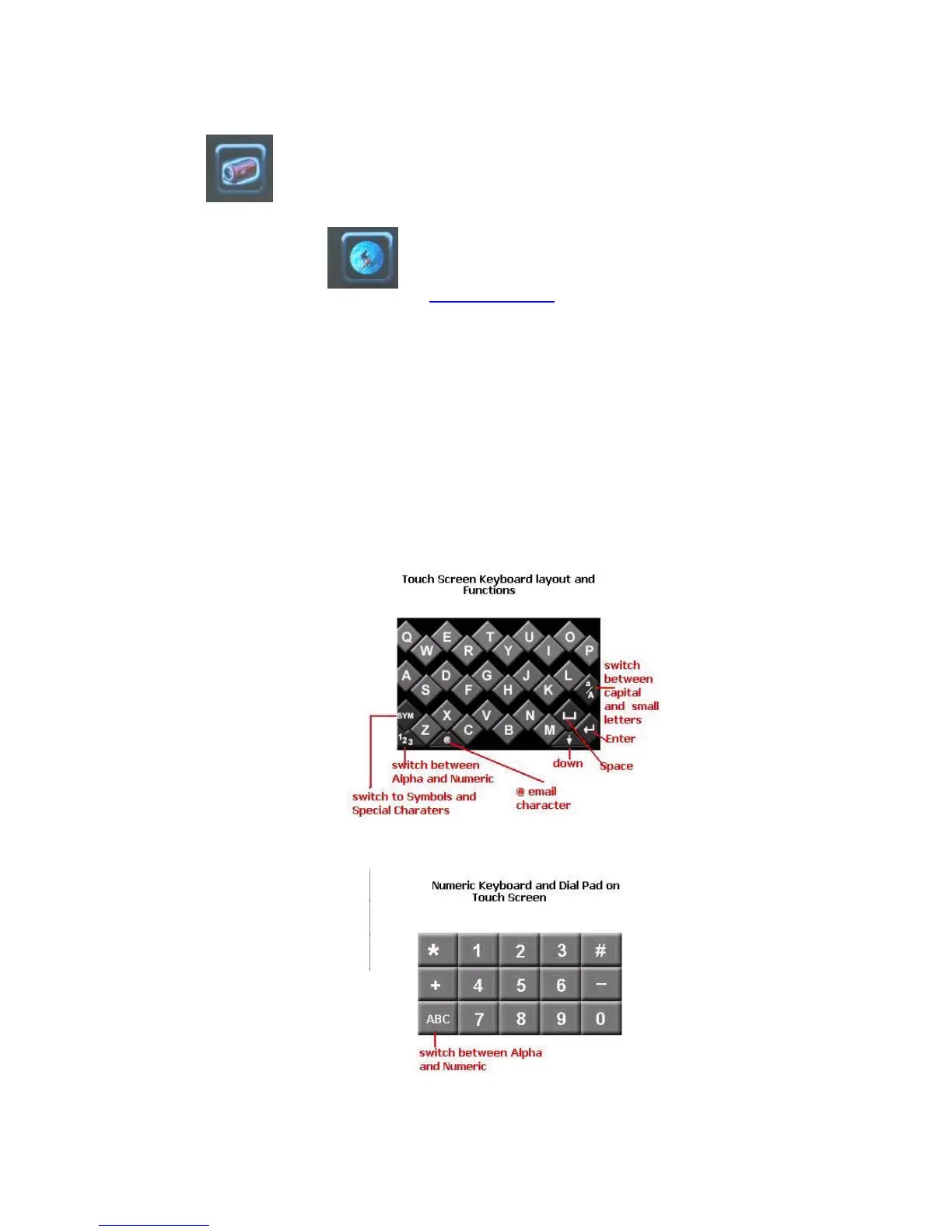
4. Text Entry
Your device supports English and/or some other languages depending on the country and region of purchase. You can edit SMS in English or
relative languages, use T9 Text Input method, and edit contacts. However, the T9 Text Input may not be available for all languages. During
text input, you can press the
“
#
”
key to switch between input methods and you can press the
“
*
”
key to enter punctuations, and press the
number key
“
0
”
to enter space in any other input method except for numeral input.
Smart Input Method
The device supports T9 smart input method (upper and lower cases). This input method has an association function. The more letters you input,
the more complete words you can get. For example, if you press the keys 2, 3, 7, and 8, the word
“
best
”
will be entered. If the entered word is
not the one you want, press Up or Down key to select another word.
ABC Input Method
The device supports ABC input method (upper and lower cases). Unlike Smart Input Method, ABC input method does not have the association
function. In this method, you should press keys once or several times to enter your desired letters. A corresponding character is entered in each



 To Next Page