Be Sure to
“
Activate
”
the profile that you would like to use.
Display Options
Menu > Settings > Phone Setup > Display Options
Inthissectionyoucanselectfromseveraloptionstocustomizeyourphone.Youmayselectwallpapers,selectascreen
saver, change the settings of the home screen and much more.
Shortcuts
Menu > Settings > Phone Setup > Dedicated Key
In this section you can customize the shortcuts for your home screen.
Aspreset,theshortcutsareasfollows.Butfromthismenu,youcanselectwhatapplicationyouwouldliketobeassociated
with that key:
Up
–
Audio Player
Down
–
Alarm
Left
–
User Profiles
Right
–
Tone Setup
Multimedia and Applications
Entertainment and Game
Camera
Menu > Multimedia > Camera
You can use the built-in camera to take photos and adjust the settings. The photos will be saved in the document system
attached to the mobile phone. The format of the photos taken is JPG. When shooting, the right side screen will show the
current setting conditions: special settings, white balance, exposure compensation, shoot delay, continuous shooting, night
mode, picture quality and picture size etc, press left or right key to adjust exposure compensation.
You may access several options by going to Menu > Multimedia > Camera > Options.
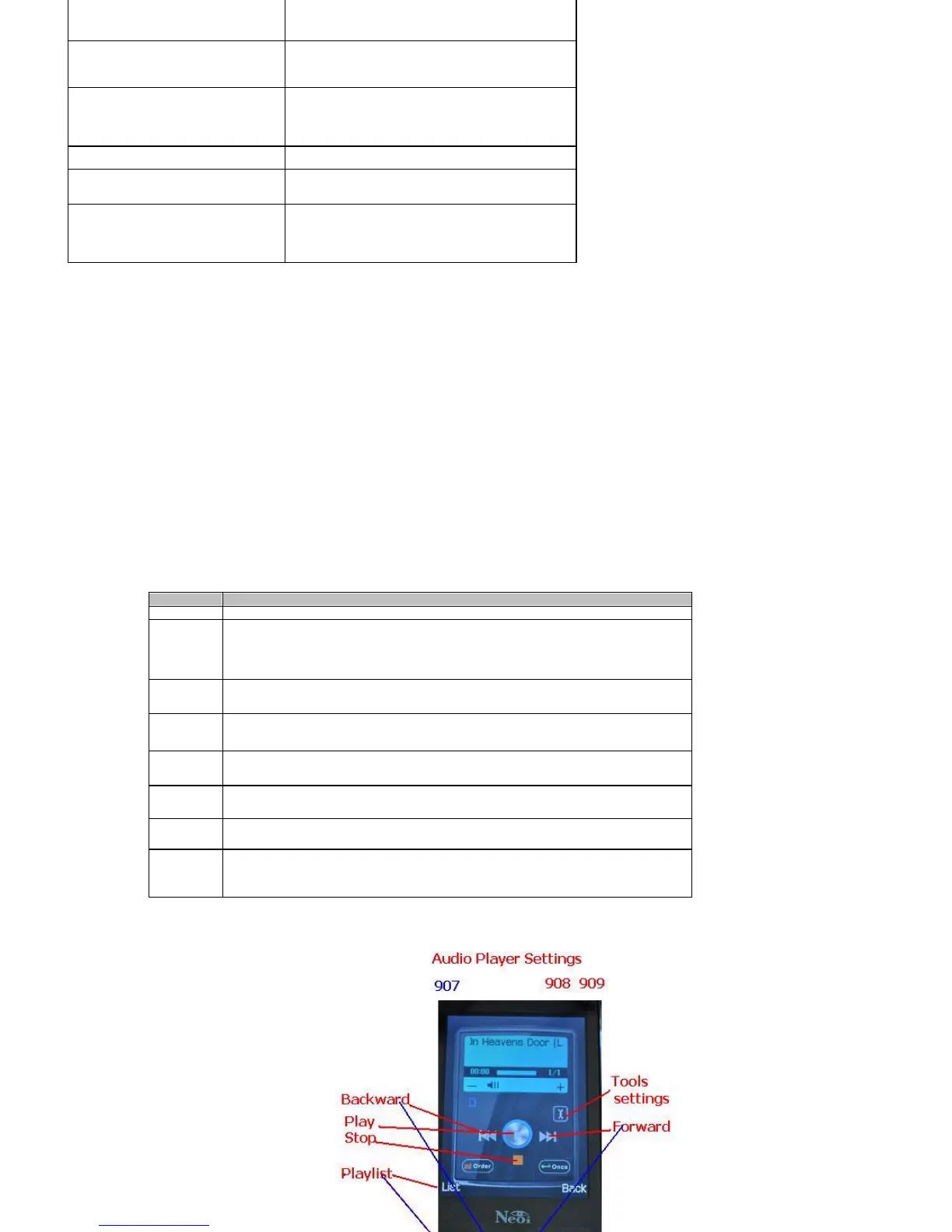
Audio Player
Ringing Mode
for your selection: ring, vibrate,
vibrate and ring, ring after
vibrating, and light only.
Ringing Type
Three ringing types are provided:
once, continuous, and grow
stronger.
Alarm Tone
Choose whether to alert, prompt
when error, when network
connected, and when call
connected.
Wallpapers
See Album and Pictures settings
Answer Mode
Choose whether to answer calls by
Any Key.
lighting Settings
Select a time-out after which the
backlight of the main display is
switched off, including 5sec, 15sec,
30sec, and 45sec.
Options
Instructions
Album
Allows you to view and set your photos in the album list.
Camera
Settings
You can set the related parameters of the camera, such as Shutter Sound,
Exposure Compensation, Avoid Flicker, shoot delay, continuous shoot etc,
to choose the best shoot result.
Image
Settings
You can set the related parameters of the Image, such as Image Size and
Quality, to choose the best shoot result.
White
balance
You can choose to set Auto, Sun light, cloudy, hot white light etc.
Scene
Mode
You can choose to set the Scene for Night or Leave on Auto.
Effect
Settings
You can choose from several different effects such as Grayscale, Sepia,
Sketch, Contrast, etc
Add
Frame
You can choose this option to add a frame around your image.
Storage
Thisoptionallowsyoutochosewhereyouwouldliketostoretheimages.
Always set this option to Memory Card so you have sufficient storage
capacity.



 To Next Page