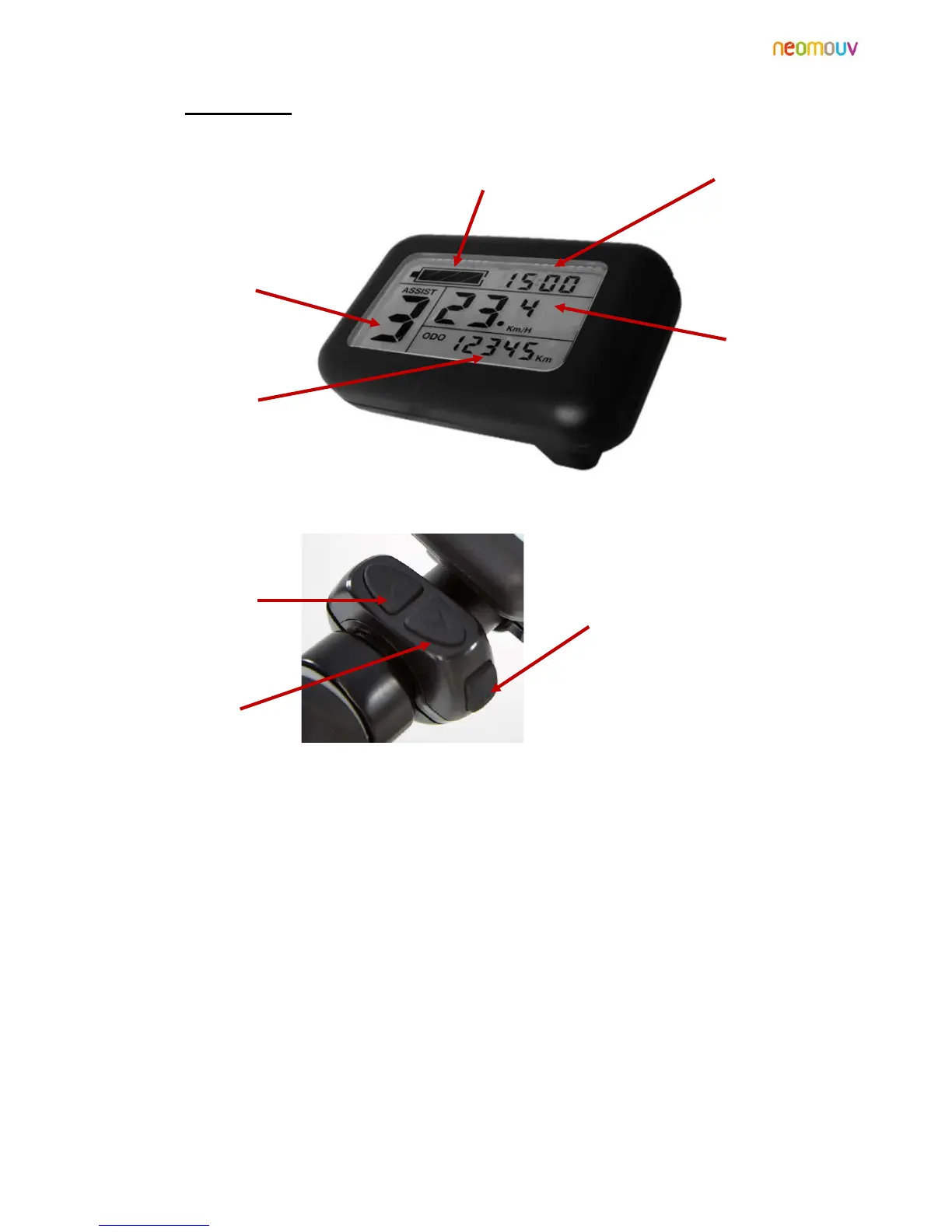
2.3 The display:
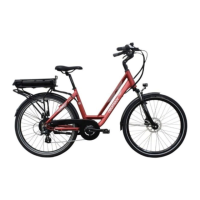
Assistance set at 6 km/h: Holding the "DOWN" button (under the control) triggers a 6km/h start-up aid
that allows the VAE to start without pedaling up to 6km/h.
Speed Information: Long press "UP" to select the desired speed of instant information, average (avg) or
max (max).
Night mode: Long press "UP and MODE" simultaneously turn on or turn off the backlight of the screen
and the front and rear lights.
Setting the Clock: Long press "UP and DOWN" simultaneously provides access to the clock settings.
Set the time using the UP and DOWN buttons.
Briefly press the MODE button to switch to the minutes setting.
Set the minutes using the UP and DOWN buttons.
Press and hold the MODE button to accept these changes and return to normal mode.


 To Next Page