7. COMMISSIONING
WARNING: ENSURE THAT ALL AC AND DC WIRING IS CORRECT. ENSURE THAT NONE OF THE
AC AND DC WIRES ARE PINCHED OR DAMAGED AND THAT ALL JUNCTION BOXES ARE
PROPERLY SEALED CLOSE.
Following these steps to commission the BDM-600 PV system:
1. Turn on the circuit breakers for each of the BDM-600 AC branch circuits.
2. Turn on the main service panel ulity-grid AC circuit breaker. Your system will start
producing poweer no more than 5 minutes.
3. The BDM-600 w
ill start to send performance data over the power lines using
power line communicaon (PLC) to the BDG-256. The me required for each
BDM-600 in the system to communicate to the BDG-256 will vary with the number
of microinverters in the system. For a typical residenal system data acquision
should take no more than 20-25 minutes.
8. OPERATING INSTRUCTIONS
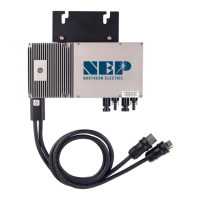
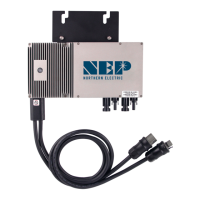
The BDM-600 begins operaon only aer sucient DC voltage from the PV module
is received. At this point the status LED will starshing.
Status: standby
The LED light toggles on and o at two (2) second intervals
Red: error detected
Orange: no error, but not yet communicang to the BDG-256
Green: no error, and communicang to the BDG-256
Status: producing power
The LED light toggles on and o at one (1) second intervals
Orange: not communicang to the BDG-256
Green: communicang to the BDG-256
The LED light is in solid red color.
In case of a fault, the BDM-600 enters a protecve mode and stops outputing power.
The fault message is usually sent to a connected BDG-256 gateway through the
power line communicaon. The error message is then displayed on the screen of
BDG-256 gateway by a 16-bit error code. The table below shows the codes:
Error code Error
Bit-0 DC over voltage
Bit-1 DC under voltage
Bit-2 hardware error
Bit-3 Inverter over voltage
Bit-4 Frequency over
Bit-5 Frequency under
Bit-6 AC voltage RMS over
Bit-7 AC voltage RMS under
Bit-8 Peak AC voltage over
Bit-9 AC current RMS over
Bit-10 Peak AC current over
Bit-11 Temperature over
Bit-12 ADC error
Bit-13 GFDI fault indicator
Bit-14 Relay fault (BDM-250-AU/BDM-250-EU only)
Bit-15 PLC Communicaon Error
9. TROUBLESHOOTING AND MAINTENANCE
WARNING: DO NOT ATTEMPT TO REPAIR THE BDM-600; IT CONTAINS NO
USER-SERVICEABLE PARTS. IF TROUBLESHOOTING METHODS FAIL, PLEASE CONTACT NEP FOR
FURTHER ASSISTANCE.
WARNING: NEVER DISCONNECT THE DC WIRE CONNECTORS UNDER LOAD. ENSURE THAT
NO CURRENT IS FLOWING IN THE DC WIRES PRIOR TO DISCONNECTING. AN OPAQUE
COVERING MAY BE USED TO COVER THE MODULE PRIOR TO DISCONNECTING.
WARNING: BDM-600 IS POWERED BY DC POWER FROM PV MODULES. MAKE SURE YOU
DISCONNECT THE DC CONNECTIONS AND RECONNECT DC POWER TO WATCH FOR THE TWO
SECONDS LED ON/OFF TOGGLE AFTER DC IS APPLIED.


 To Next Page