Towerservicemanual
50
O P E R A T I O N
3. Holdcashcardresp.keyringnearRFIDantennaunderdisplay(3).
Donotfidgetwithcashcardresp.keyringbutholditunderdisplaycalmly
foratleast1s.
4. Thedisplaysshowsthestoredvalueonthecashcard.
5. Afterdebittingthepriceofthecoffeecapsule,thecurrentbalanceisdisplayed(5)
andthedispensermodulreleasesacapusleinthecapsuletray(6).
4.3.2 Loadingcashcardorkeyringwithdesktopcard
loadingstation
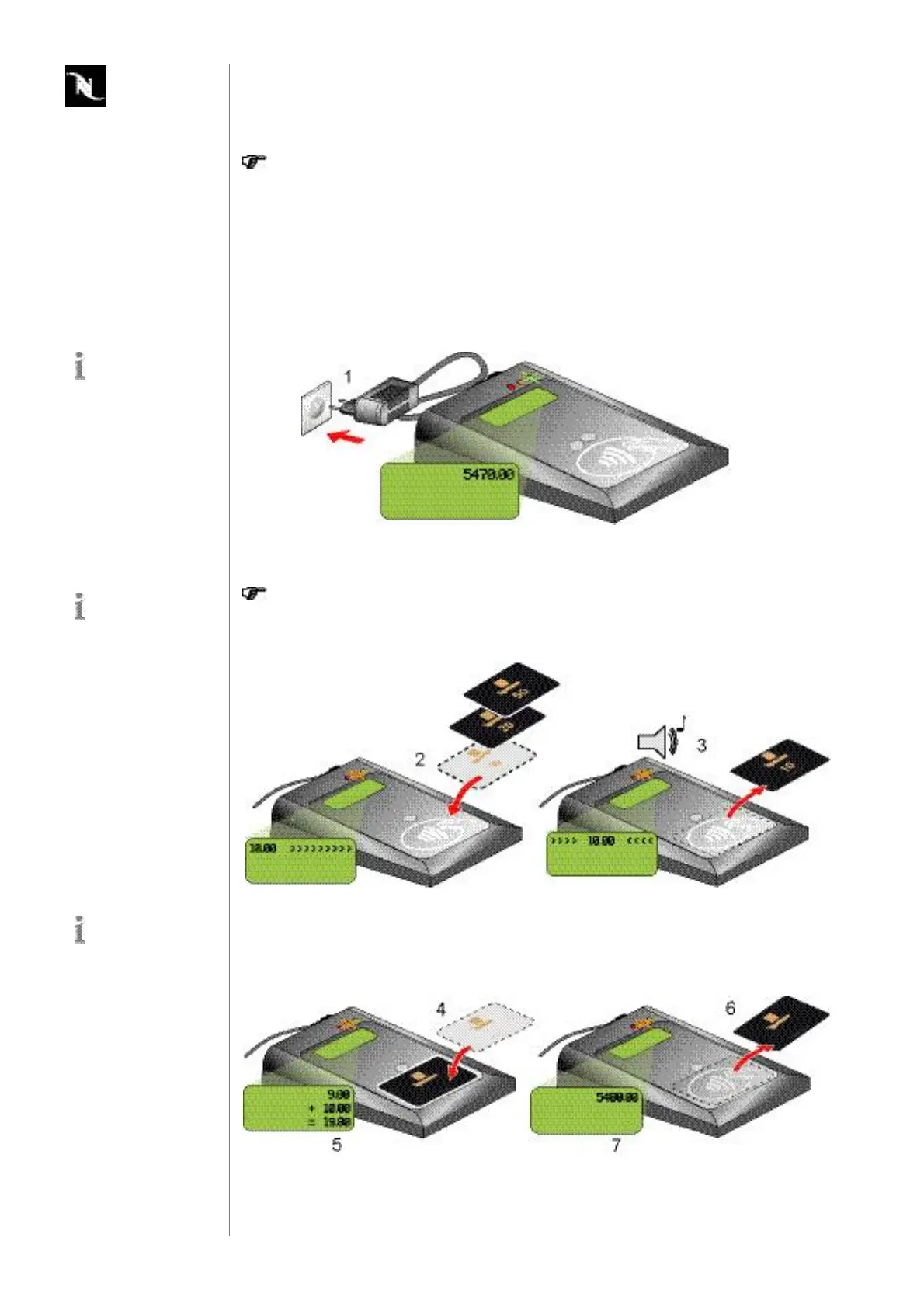
1. Powerupdesktopcardloadingstation(1).
Thedisplayshowsservicesettings(softwareversion,safetysettings,serial
number)duringstartupandatlastthetotalsumtransferredtocashcards
andkeyrings.
2. Placeloadingcard(2)ontopofdesktopcardloadingstation.
Thevalueoftheloadingcardisdisplayed.
3. Removeloadingcardaftersoundsignal(3).
Tosimplifymatters,
onlycashcardsare
shownintheillustra
tions.
Thetotalsumcanbe
resettedwithanini
tialisationkeypro
videdby
Nespresso
.
Thesensitiveareafor
cashcardorkeyring
recognitionismarked
onthedesktopcardload
ingstation.






 To Next Page