Towerservicemanual
89
R E P A I R I N G
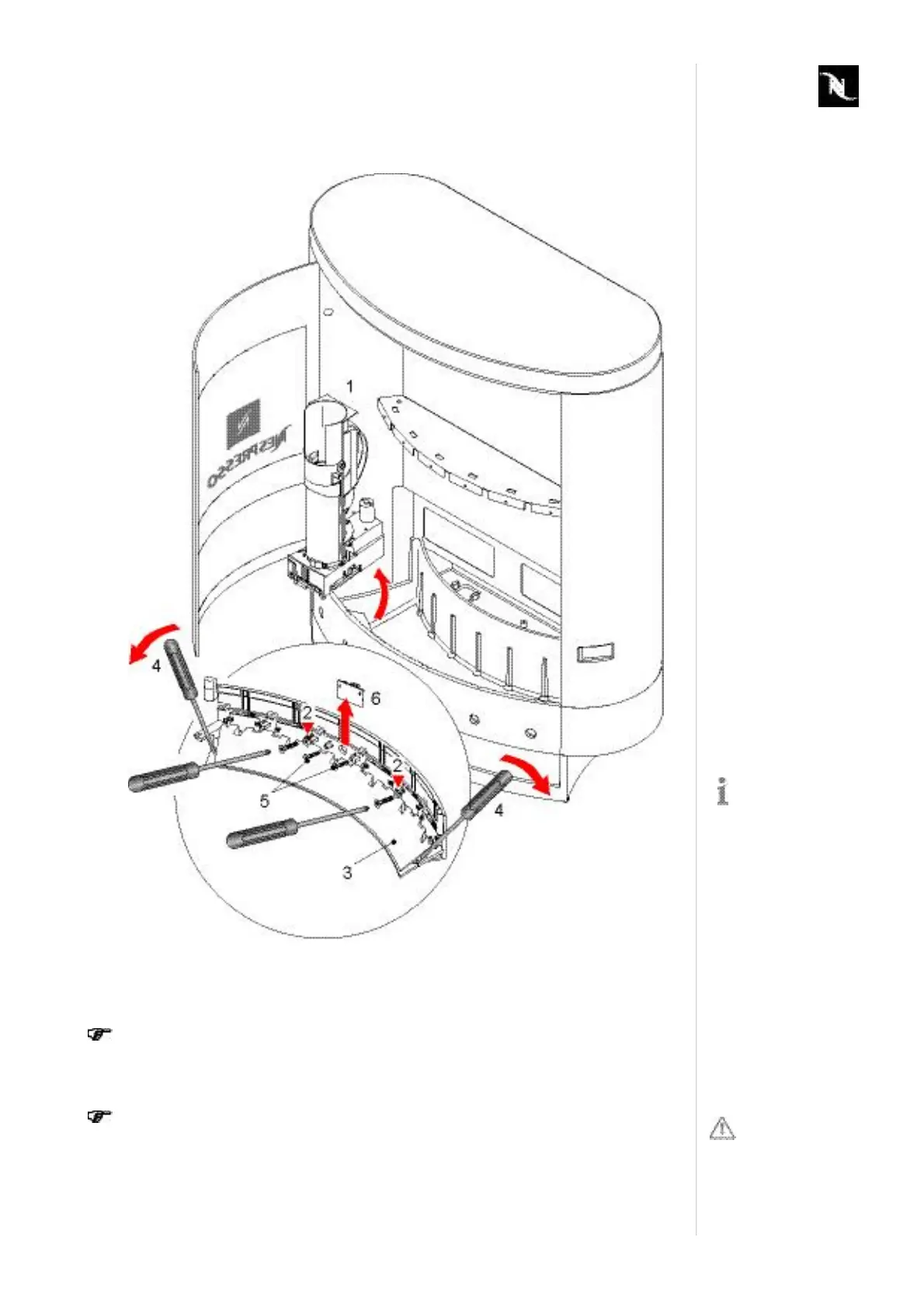
8.4.3 ReplacingoperatingbuttonPCB
1. Removealldispensermodules(1,refertopage86).
2. Loosen2screws(2).
3. Removecover(3).
Thecoverisgluedtothesupportadditionally.Usemoderateforcetoloosen
adhesivebond(4).
4. Loosen2screws(5)andremovedefectiveoperatingbuttonPCB(6),(example).
PeripheralPCBsaremountedwithspecialconnectingwashersbecauseof
inclinedscrewpositions.
5. Unplugflatcableconnector.
Thedetailisshown
sideinvertedtosim
plifymatters.
Donotlosecon
nectingwashers.









 To Next Page