Digital Video Recorder for Ness IQ-
Input Device and Screen Icons
2.1 Key and LEDs
4 / 8 channel 960H & 4 channel SDI
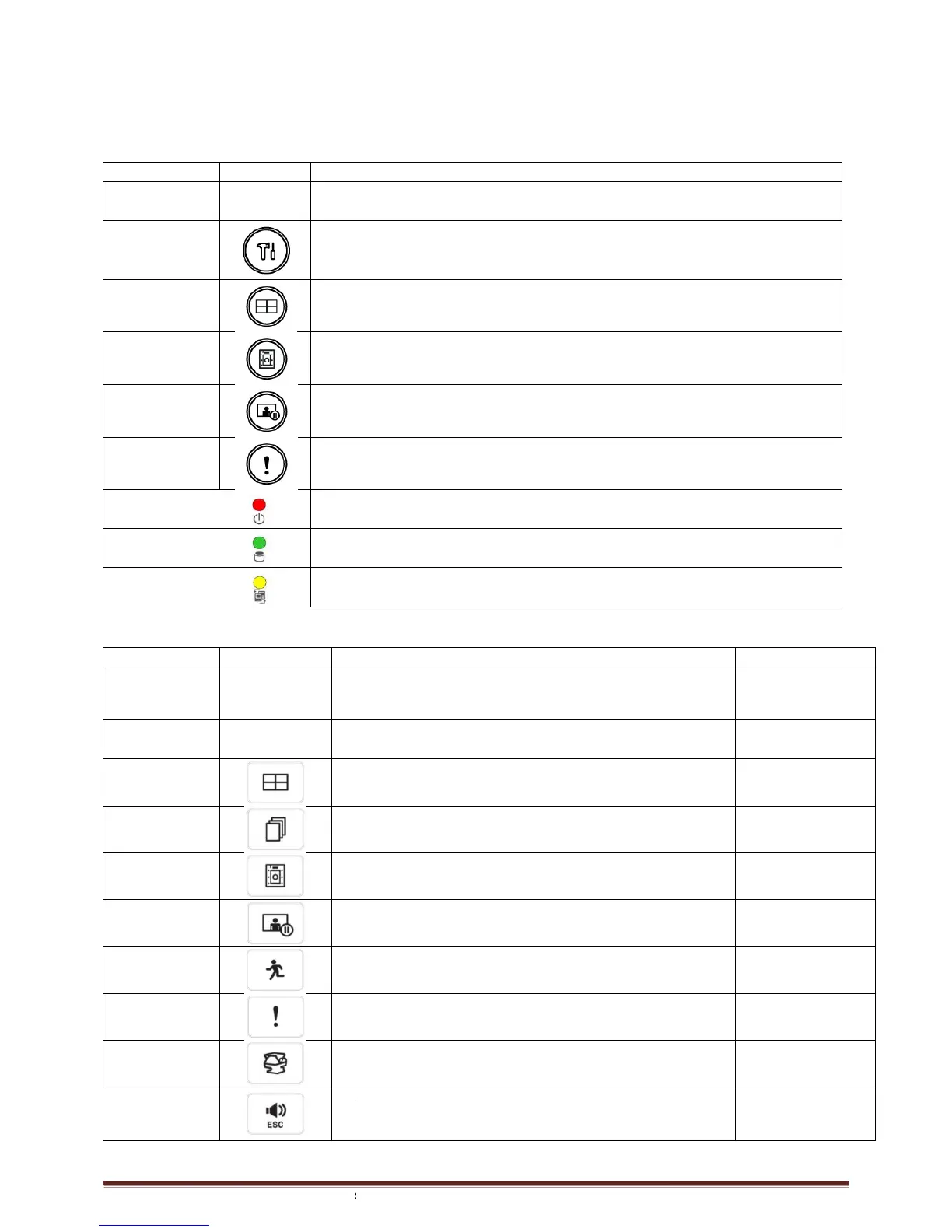
KEYS Icons
Direction Keys ▲▼◄►
• Control Pan/Tilt rotation of up/down/left/right in PTZ mode
Up/Down/Left/Right on screen cursor control
Enter the Main Menu (Setup mode)
• Select 1/4/9/16 channel display
• Copy video data into the external storage device
• Screen freeze mode on/off
• Emergency recording on/off
• Light off: Stop recording
• Blink : Recording/Playback modes (HDD Access), Archive in operation
• Light off: failed to connect to Ethernet
• Blink: Connected to Ethernet
960h & 8 / 16 Channel SDI
• Control Pan/Tilt rotation of up/down/left/right in PTZ mode
• Camera select keys : (4/8/16 channel DVR)
• Select 1/4/9/16 channel display
• Channel sequence mode on/off (Main Monitor)
• Copy video data into the external storage device
• Screen freeze mode on/off
• System Log display on/off
• Emergency recording on/off
• Pan/Tilt control mode on/off
• Audio on/off (Viewing/Playback)
• Select audio channel: Press AUDIO key and then channel key
Input Device and Screen Icons
• Control Pan/Tilt rotation of up/down/left/right in PTZ mode
Up/Down/Left/Right on screen cursor control
Enter the Main Menu (Setup mode)
• Select 1/4/9/16 channel display
• Copy video data into the external storage device
• Screen freeze mode on/off
• Emergency recording on/off
• Light off: Stop recording
• Blink : Recording/Playback modes (HDD Access), Archive in operation
• Light off: failed to connect to Ethernet
• Blink: Connected to Ethernet
960h & 8 / 16 Channel SDI
• Control Pan/Tilt rotation of up/down/left/right in PTZ mode
• Camera select keys : (4/8/16 channel DVR)
• Select 1/4/9/16 channel display
• Channel sequence mode on/off (Main Monitor)
• Copy video data into the external storage device
• Screen freeze mode on/off
• System Log display on/off
• Emergency recording on/off
• Pan/Tilt control mode on/off
• Audio on/off (Viewing/Playback)
• Select audio channel: Press AUDIO key and then channel key
• Blink : Recording/Playback modes (HDD Access), Archive in operation
• Control Pan/Tilt rotation of up/down/left/right in PTZ mode
•Up/Down/Left/Right
on screen cursor
control
• Select audio channel: Press AUDIO key and then channel key



 To Next Page