Digital Video Recorder for Ness IQ-
CAUTION
USER WILL NOT BE ASKED TO ENTER THE
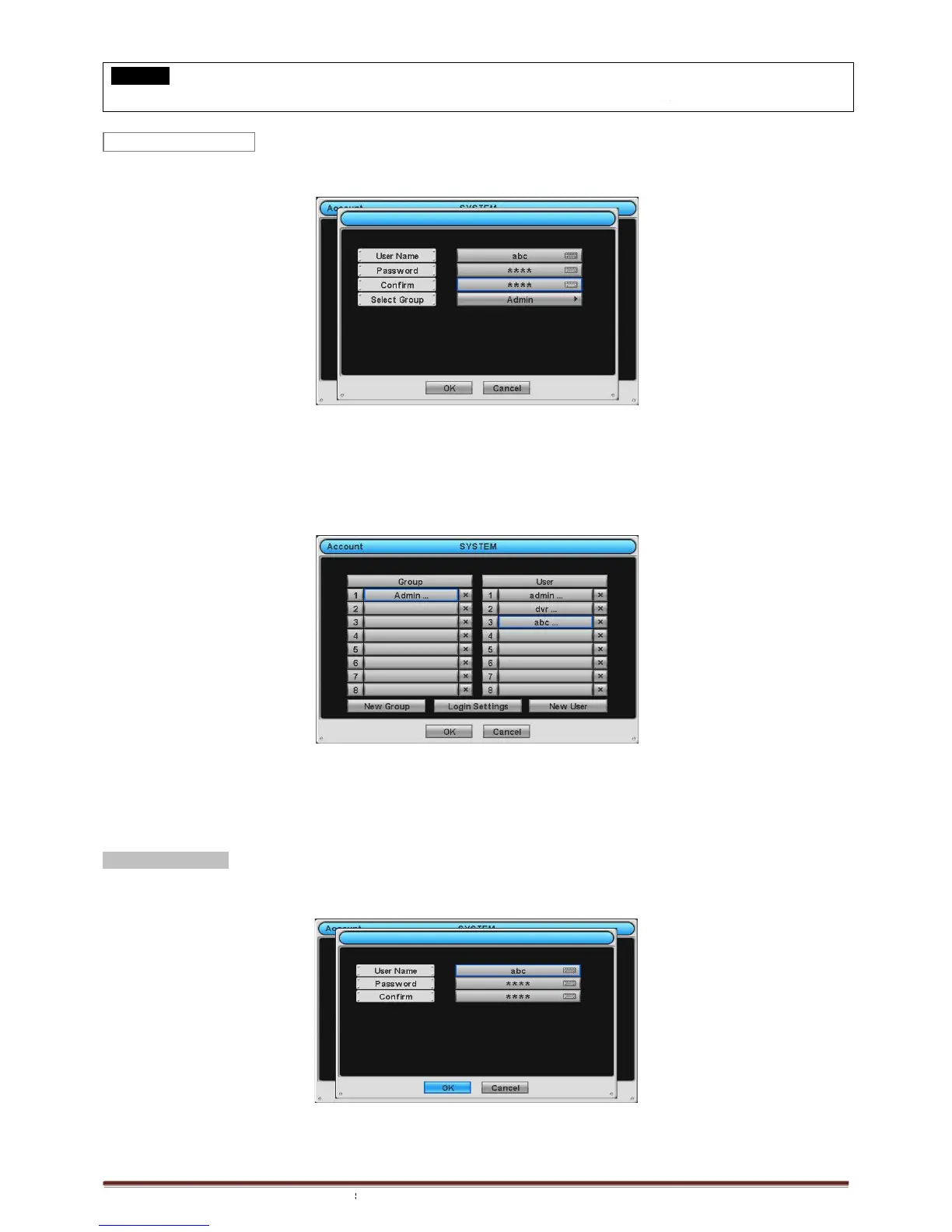
New User and the following screen will appear.
Click (
) the keyboard icon on the right
characteristics (up to 8 characteristics) on the virtual keyboard.
Input Password and Confirm.
Choose ‘OK’ to confirm the setting. Then, lists of Group and User will show as follows.
to delete the set Group or User.
User may create up to 8
Choose ‘OK’ to confirm the setting.
Password Resetting
Click ID on User column. The following screen will appear.
This is a screen for password resetting.
Input password by clicking the keyboard icon on the right
PASSWORD FOR OPERATION(S) WHEN
PASSWORD PROTECTION IS NOT
New User and the following screen will appear.
hand side of User Name frame and the virtual keyboard will appear. Click desired
characteristics (up to 8 characteristics) on the virtual keyboard.
Choose ‘OK’ to confirm the setting. Then, lists of Group and User will show as follows.
to delete the set Group or User.
Click ID on User column. The following screen will appear.
Input password by clicking the keyboard icon on the right
PASSWORD PROTECTION IS NOT
hand side of User Name frame and the virtual keyboard will appear. Click desired



 To Next Page