NESS R8 CONTROL PANEL - USER MANUAL
15
OPERATION - EMERGENCY FUNCTIONS
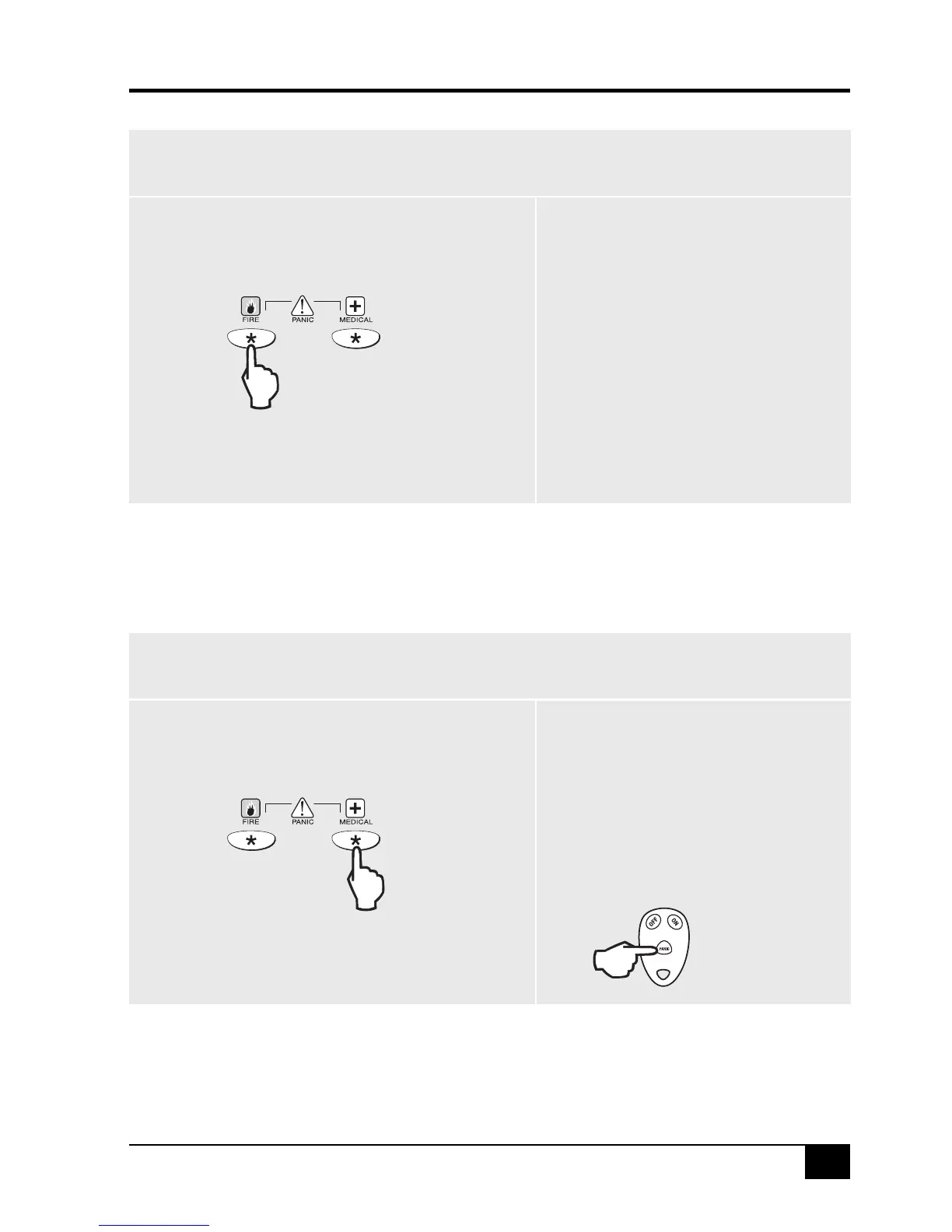
FIRE ALARM
To generate a FIRE alarm using the keypad, press
and hold the FIRE key, (left hand star key), for
at least 2 seconds.
The FIRE Alarm cannot be generated
by a Radio Key.
The Keypad Fire alarm function is disabled by default,
and must be enabled by your installer.
Hold
The FIRE alarm sounds the siren outputs using
the Fire siren sound and the dialler reports a
fire alarm.
MEDICAL ALARM
To generate a MEDICAL alarm using the keypad,
press and hold the MEDICAL key, (right hand star key),
for at least 2 seconds.
The Keypad Medical alarm function is disabled
by default, and must be enabled by your installer.
Hold
If enabled by your installer, to generate a
MEDICAL alarm using a Radio Key, press
and hold the Radio Key PANIC button for
at least 4 seconds.
IMPORTANT NOTE: The R8 normally
processes signals from the Radio Key Panic
button as a PANIC alarm. The panel must be
programmed by your installer to process
this signal as a MEDICAL alarm.
Hold
Fire alarm reports to your central station are
enabled by default and can be disabled by
your installer.
The primary purpose of this alarm is to report
a MEDICAL alarm to your central station. The
keypad beeper sounds 8 rapid beeps to
indicate that the Medical alarm has been
triggered.
Medical alarm reports to your central station
are enabled by default and can be disabled
by your installer.



 To Next Page