NESS R8 CONTROL PANEL - USER MANUAL
17
OPERATION - EXCLUDING ZONES
EXCLUDING ZONES
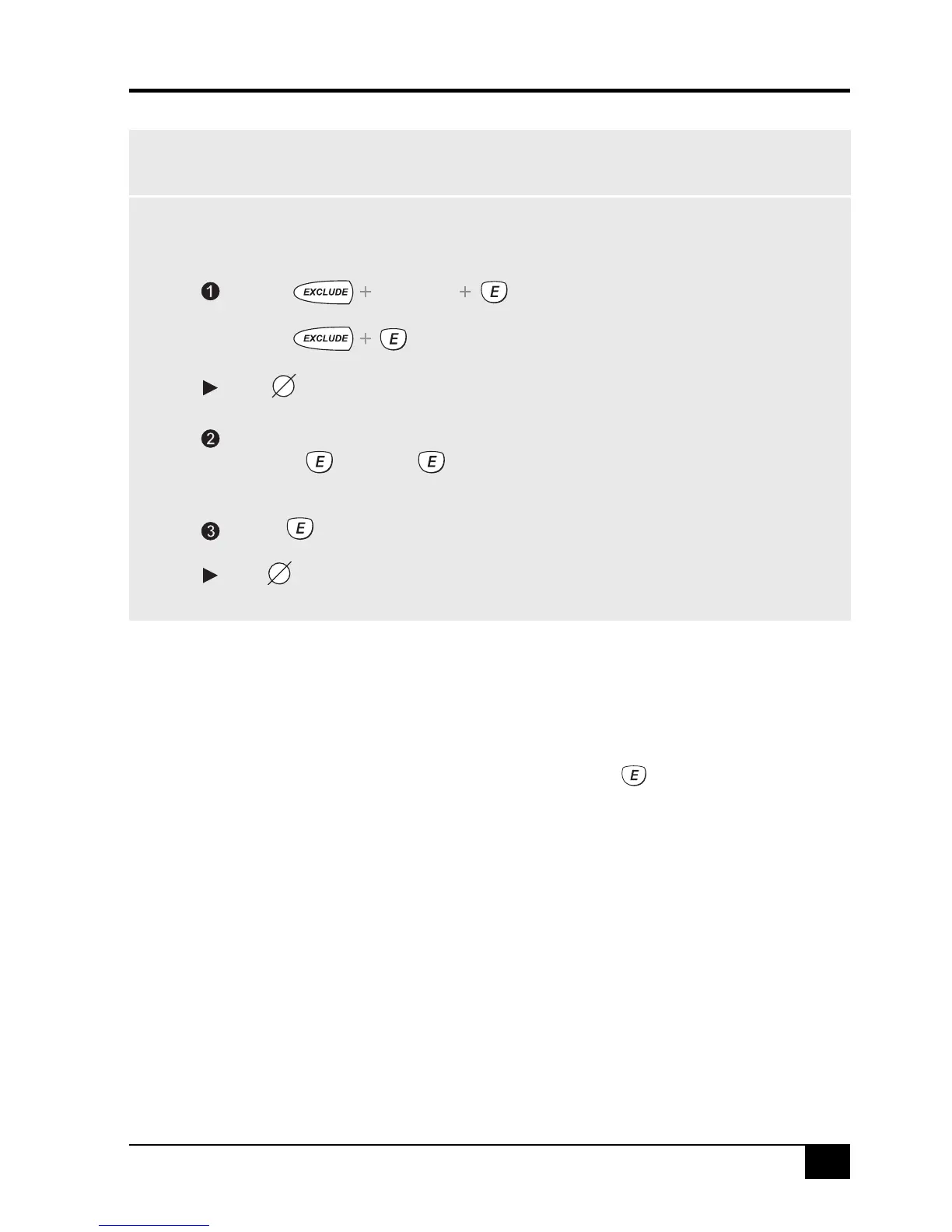
To EXCLUDE zones, the R8 must be in the disarmed mode.
The zone light of each Excluded zone will turn on.
[Zone No.] [Zone No.] ...etc
or...
Press...
The
to exit Exclude mode
Enter the zone number of the zone/s to be excluded, (1-8).
The EXCLUDE icon will turn on.
EXCLUDE icon will flash continuously until the panel is next disarmed.
Press...
[User Code]
.
If a detector becomes faulty and cannot be
sealed when arming the panel, that zone can
be Excluded so that it does not cause alarms.
When zones have been Excluded, the
EXCLUDE icon flashes continuously while the
panel is Disarmed and also when Armed.
Zones can only be excluded while the panel is
disarmed.
Zone Exclude IS not permanent. Excluded
zones are automatically INCLUDED next time
the panel is disarmed.
Zones can be manually included by the same
method as Excluding. Simply use the
[ZONE NUMBER] sequence to turn OFF the
zone icons to be Included.



 To Next Page