User Manual for the NETGEAR 10/100/1000 Mbps CardBus Adapter GA511
2-4 Introduction
The optional advanced configuration choices include:
• Configurable 802.1Q VLAN ID and 802.1Q/1p VLAN frame tagging for traffic prioritization
• Optional Jumbo Ethernet frame size (3000 bytes)
• Configurable link speed and duplex mode
• Checksum offloading to the network card
• Offload of TCP large packets to the network card
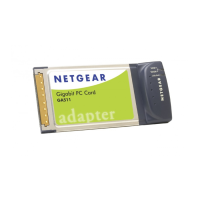
The following NETGEAR products can be configured to communicate with the GA511 Gigabit
CardBus Adapter:
• FS750AT Modular Fast Ethernet Switch with 48-Port 10/100 Mbps + 2 Gigabit Ports
• FS726AT Modular Fast Ethernet Switch with 24-Port 10/100 Mbps + 2 Gigabit Ports
• FS526T 24-Port Smart Switch with Gigabit Ports
• GS104 4-Port Gigabit Ethernet Switch
• GS108 8-Port Copper Gigabit Switch
• GS105 5-Port 10/100/1000 Mbps Gigabit Ethernet Switch
• GS524T 24-Port 10/100/1000 Mbps Copper Gigabit Switch
• GS516T 16-Port 100/1000 Mbps Copper Gigabit Switch
• GSM712 12-Port Managed Gigabit Switch
• GSM712F 12-Port Managed Fiber Gigabit Switch
• FSM750S 48-Port 10/100 Mbps Managed Stackable Switch with Gigabit Ports
• FSM726S 24-Port 10/100 Mbps Managed Stackable Switch with Gigabit ports
• FSM726 24-Port Mbps Managed Switch with Gigabit Ports
• FS526T 24-Port Smart Switch with Gigabit Ports
• GSM7324 24-Port Layer 3 Managed Gigabit Switch
• GSM7312 12-Port Layer 3 Managed Gigabit Switch



 To Next Page


