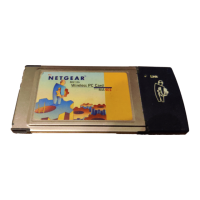
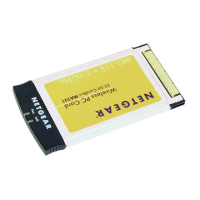
Reference Guide for the Model MA401 802.11b Wireless PC Card
vi
Installing a MA401 to Operate in Ad-Hoc Mode ..............................23
MA401 Wireless Connection Indicators .................................................27
Interpreting the LED on the MA401 .................................................27
Interpreting System Tray Icon Colors ..............................................28
Troubleshooting Tips ..............................................................................29
Chapter 3
Protecting Your Wireless Connection
Enabling Basic Wireless Security Features .............................................1
Identifying the Wireless Network Name (SSID) and WEP Security
Settings ..............................................................................................2
Setting the Wireless Network Name (SSID) ......................................3
Configuring WEP Encryption Security ...............................................4
Appendix A
Technical Specifications
Appendix B
802.11b Wireless Networking Basics
Related Publications ................................................................................1
Wireless Networking ................................................................................1
Wireless Network Configuration ........................................................1
Ad-hoc Mode (Peer-to-Peer Workgroup) ....................................2
Infrastructure Mode .....................................................................2
Extended Service Set Identification (ESSID) .....................................2
Authentication and WEP Encryption ..................................................3
Wired Equivalent Privacy (WEP) .................................................3
Wireless Channel Selection ...............................................................4
Appendix C
Preparing Your PCs for Network Access
Preparing Your Computers for TCP/IP Networking ..................................1
Configuring Windows 95, 98, and ME for TCP/IP Networking .................1
Install or Verify Windows Networking Components ...........................2
Enabling DHCP to Automatically Configure TCP/IP Settings in Windows
95B, 98, and ME ................................................................................3
MA401.book Page vi Tuesday, October 8, 2002 4:08 PM



 To Next Page