Reference Guide for the Model MA401 802.11b Wireless PC Card
3-4 Protecting Your Wireless Connection
Configuring WEP Encryption Security
The MA401 PC Card allows you to restrict access to your wireless network based
on WEP keywords. Following the steps below to perform this procedure.
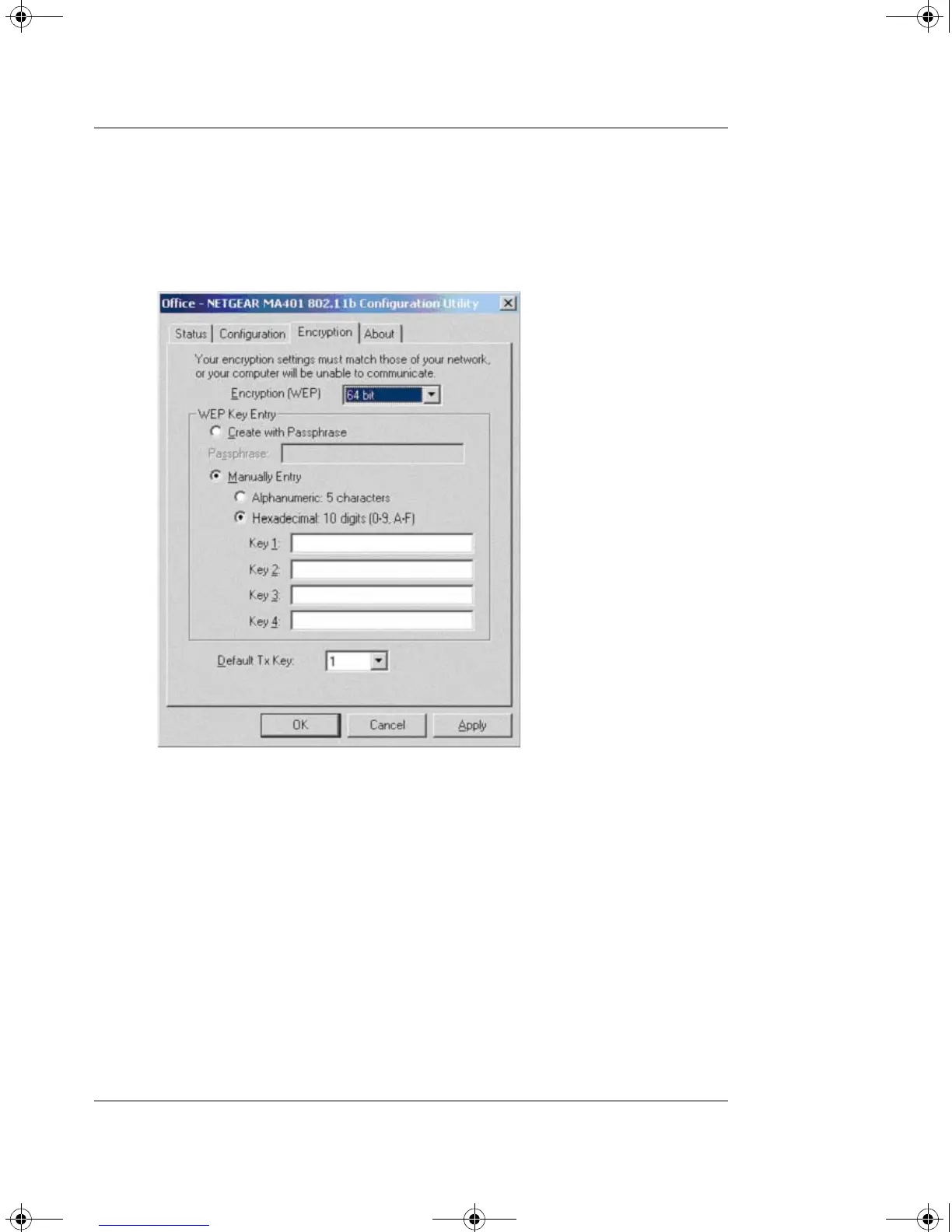
1. Run the Config Utility and select the Encryption tab page.
Figure 3-2: Configuring WEP Encryption
2. Select the WEP encryption strength you will use. The choices are:
• 64-bit WEP data encryption
• 128-bit WEP data encryption
Note: A larger encryption key requires more processing to encode/decode
the messages. Larger encryption key lengths may slow the
communications process response times.
MA401.book Page 4 Tuesday, October 8, 2002 4:08 PM



 To Next Page