
 Need help?
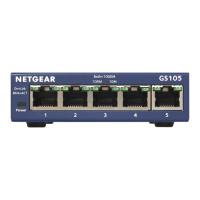
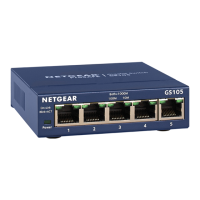
Do you have a question about the NETGEAR ProSAFE GS105v5 and is the answer not in the manual?
Connect the switch to your computer, server, and optional network devices using Ethernet cables.
Connect the power adapter and use the OFF/ON switch to power the device.
Observe Power LED and Port LEDs for link status, speed, and activity.
 General
| Model | GS105v5 |
|---|---|
| Category | Switch |
| Ports | 5 x 10/100/1000 Mbps Gigabit Ethernet |
| Switch Type | Unmanaged |
| Switching Capacity | 10 Gbps |
| Forwarding Rate | 7.44 Mpps |
| Jumbo Frame Support | Yes |
| Form Factor | Desktop |
| Operating Temperature | 0° to 40° C (32° to 104° F) |
| Storage Temperature | -20° to 70° C (-4° to 158° F) |
| Humidity | 90% maximum relative humidity, non-condensing |
| Weight | 0.5 kg |


 To Next Page