Control and configuration
16
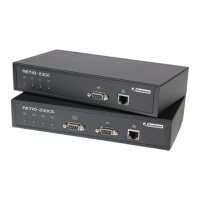
Figure 5.7. Serial tunnel symbol on the front panel of the NETIO-230CS device
By permission (selection of the Enable field) of the item serial tunnel, you activate the serial tunnel function. The
tunnel shall be accessible at the same IP address as the actual NETIO-230CS device on the port set in the item
Tunnel port (default value 1235). It is further necessary to set communication parameters corresponding to the
parameters of the connected device. Speed selection is also available as well as setting of parity (even, odd or
none). It is also possible to set symbol parity. The default value is (ignore).
To secure access to the serial tunnel, it is possible to activate the IP filter function. In the following fields, it is then
possible to set the computer from which it will be possible to connect the serial tunnel. Access restriction is set by
means of two choices. It is necessary to set the IP Address from which the connection will be made and the Mask
parameter which sets the scope of the addresses, from which it will be possible to connect to the serial tunnel.
For example: for permission of access only from IP 192.168.200.1, set the parameters:
Address: 192.168.200.1
Mask: 255.255.255.255
Figure 5.8. Setting of the serial tunnel
5.2.5. Configuration of user accounts
The category Manage users in the System menu contains the configuration of the user accounts. The device has
three user authorisation levels:


 To Next Page
