Control and configuration
24
5.3.4. CGI control
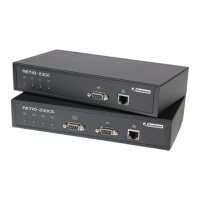
The NETIO-230C/CS device can also be integrated easily into your applications using CGI commands.
CGI control of the device is executed by means of commands in the following format:
http://<IP address>/tgi/control.tgi?<command>&<command>
Replace your device IP address with the string <IP address>. The string <command> is an actual command.
CGI commands:
hash=hash
Sending of a request for an encrypted login string. The command returns <html> hash </html>.
login=<p|c>:<user name>:<password>
Login to the device. With the command login=plain, you select for unencrypted login. For
encrypted login, select the command login=crypted. Other command parameters are the
username and password.
The returned values are described in chapter 5.3.6 – „Returned values for KSHELL, CGI and the
serial line Section 5.3.6, “Return values for KSHELL, CGI and serial link”. In case of usage of
CGI commands, the return value is enclosed in the HTML tags <html> and </html>.
quit=quit
Logout from the system. The return value is <html>110 BYE</html>. This command can be used
only in CGI compatible mode with older devices.
port=<list|xxxx>
The parameter list - lists the output state in the format <html> port1 port2 port3 port4 </html>,
where port1 to port4 are values 0 for output off and 1 for output on. The parameter xxxx is
a string for setting the port. In place of the symbol x enter 0, 1, u or i just as applies to port
setting via Telnet.
All commands can be shortened to individual symbols. For example, the command port=list can shortened to
p=l. The commands can be joined in a string using the symbol &.
Example:
http://192.168.200.84/tgi/control.tgi?login=p:admin:admin&p=10ui
This command executes login to the device at the address 192.168.200.84 with username admin, password
admin and sets the port. It switches on port one, switches port two off, leaves port three in actual state and
interrupts port four for the time set in the actual setting of the port.
5.3.5. Communication via serial link
For communication with the NETIO-230C/CS device via serial link, connect the device to the PC via a direct
cable with Canon DB9F and DB9M connectors. The communication parameters are as follows:
• Transmission speed: 19200 baud


 To Next Page
