iii
List of Figures
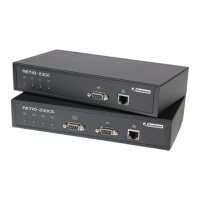
2.1. NETIO-230C, front view .......................................................................................................... 3
2.2. NETIO-230CS, front view ......................................................................................................... 4
2.3. NETIO-230C/CS, back view .................................................................................................... 5
4.1. Devices found ......................................................................................................................... 7
4.2. Configuration of the device ...................................................................................................... 7
4.3. Login screen ........................................................................................................................... 8
5.1. Manual control of the outputs ................................................................................................... 9
5.2. Configuration of port parameters ............................................................................................ 10
5.3. Configuration of output .......................................................................................................... 11
5.4. Configuration of the network .................................................................................................. 13
5.5. E-mail configuration .............................................................................................................. 14
5.6. Setting the date and time ....................................................................................................... 15
5.7. Serial tunnel symbol on the front panel of the NETIO-230CS device ............................................. 16
5.8. Setting of the serial tunnel ...................................................................................................... 16
5.9. Configuration of user accounts ................................................................................................ 17
5.10. Warning prior to firmware update ........................................................................................ 17
5.11. Restart before update ........................................................................................................... 18
5.12. Call to download new firmware file ....................................................................................... 18


 To Next Page
