netis Wireless N Range Extender Quick Installation Guide
Step 3. Click on “Start” button
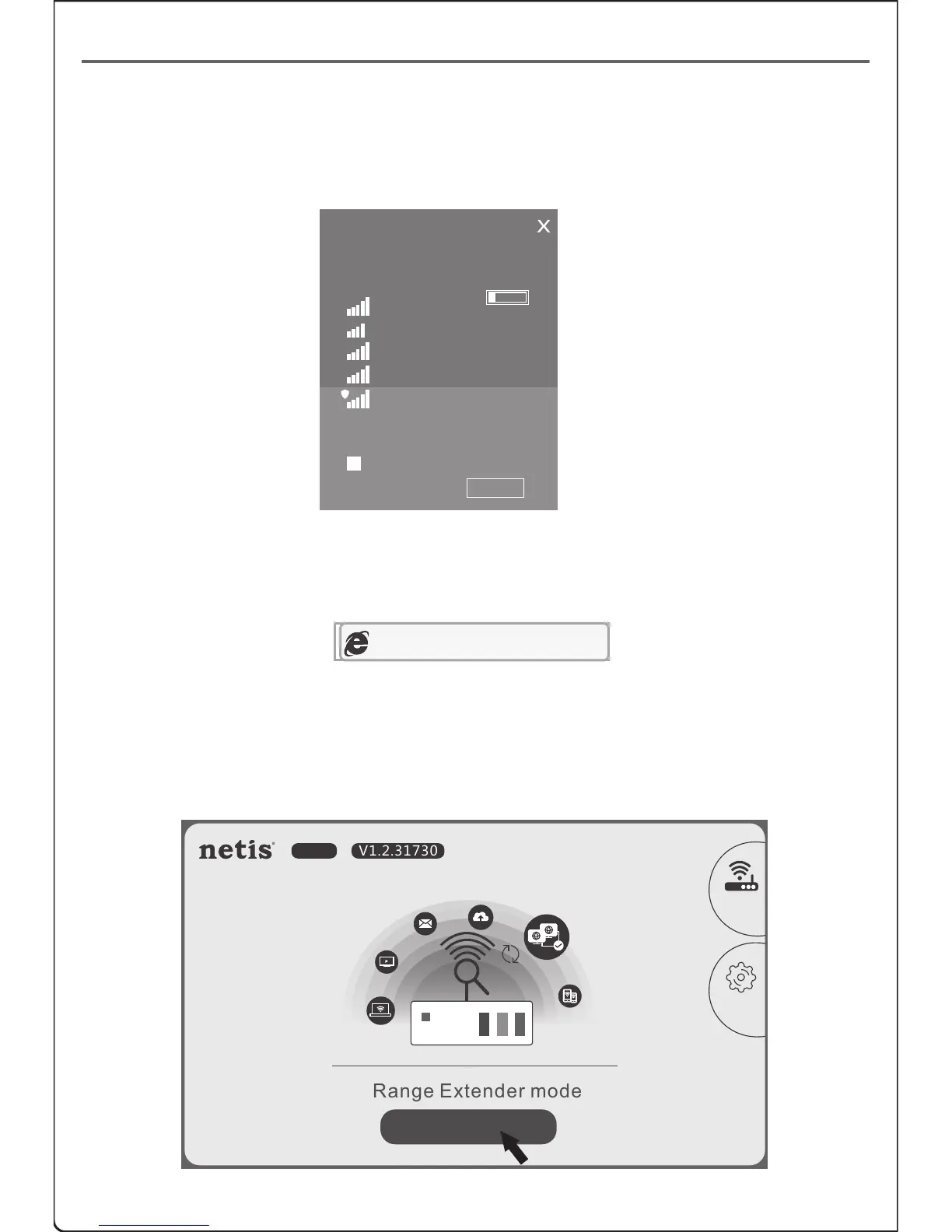
(Take Windows 8 as an example)
http://netisext.cc
Method B: Range Extender setup via Web Management Page
Step 1. Search and connect to the E1+ network “netis” with your computer
or mobile terminal device.
Step 2. Open your browser and type “http://netisext.cc” in the address
field to visit E1+'s web management page.
Note: If the login page cannot pop up, please check your computer is
set to obtain IP address automatically.
Networks
Airplane mode
Off
WIFI-409
WIFI-411
WIFI-410
WIFI-407
netis
!
Other people might be able to see
info you send over this network
Connect automatically
Connect
Range Extender mode
E1+ V1.2.31730
Start
Travel
Router
Advanced
5


 To Next Page