21
Nets SmartPOS N950 user manual
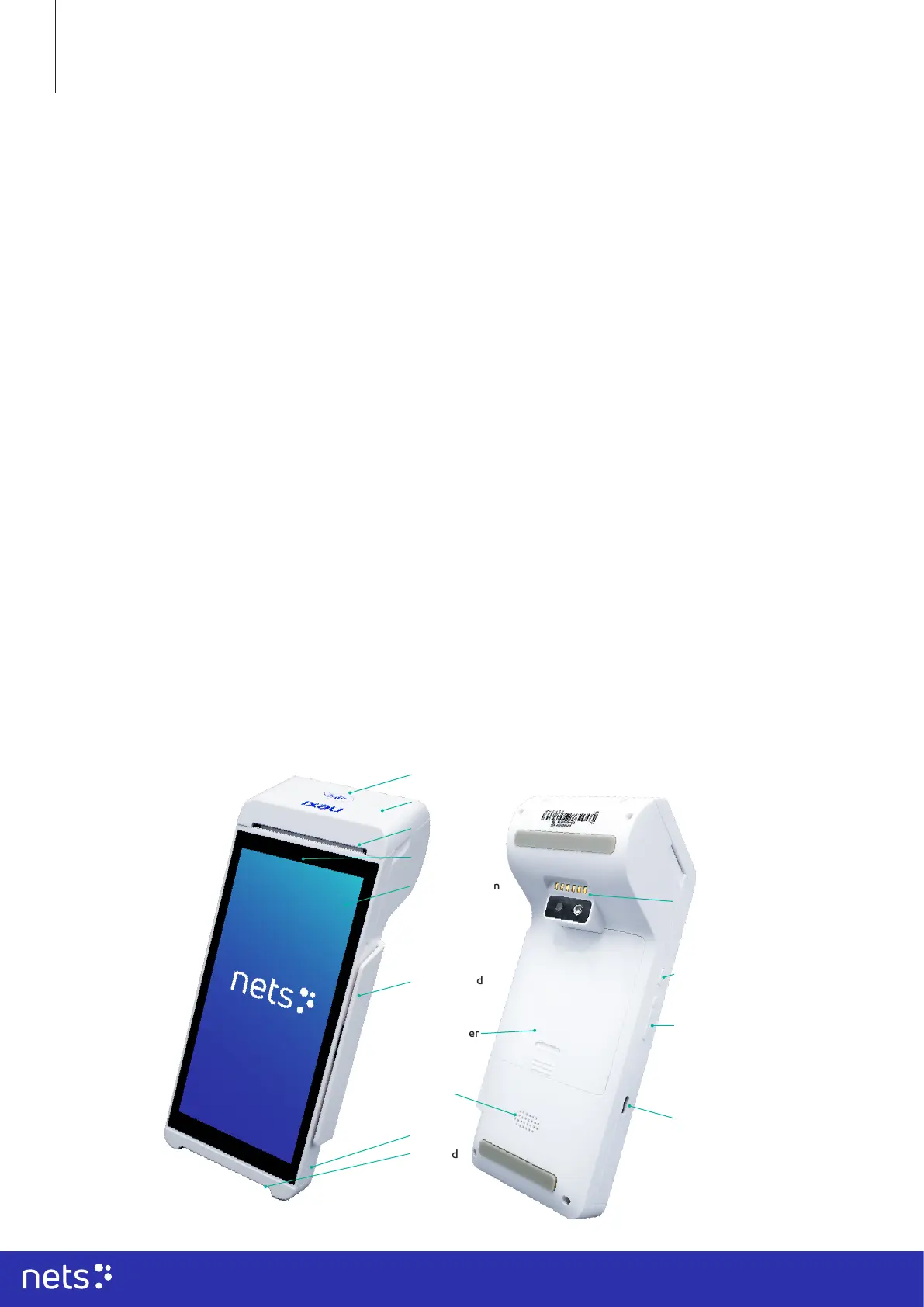
2.1 Content of the package
• Payment terminal with a pre-installed 4G SIM card
• Payment terminal battery (attached to the terminal)
• Power cord USB-C
• Receipt roll
• Nets Welcome Letter
• Battery charging dock
2.2 Components of the N950 payment terminal
This user guide is intended for use by merchants and covers use cases for the payment terminal:
N950 (by Newland NPT).
The N950 smart terminal is a next-generation Android SmartPOS solution from Newland NPT.
As a portable smart payment terminal, N950 is equipped with a battery, touchscreen, receipt printer, and
a pre-activated 4G subscription. The new multi-functional terminal can have dierent congurations and
accessories. Please, read this document to get the most out of your terminal. This user guide presents you the
necessary information related to the use, installation, safety, and security recommendations related to your
new terminal.
When receiving the payment terminal and any accessories, please check that the delivery corresponds to your
order. Save the payment terminal box for the possible return of the payment terminal.
The information contained herein shall not be used, copied, or redistributed without the prior written consent
of Nets A/S.
2. Hardware & terminal components
1. Introduction
Additional accessories
for the terminal are:
• Accessibility plate
Contactless reader
Printer roll cover
Paper output slot
Front camera
LCD touch screen
Chip card
reader
Magnetic card
reader
Mic
Speaker
Battery cover
Charging
base port
Power
button
USB-C port
Volume
button



 To Next Page