65
Nets SmartPOS N950 user manual
3.5 Perform payments
Payments are initiated from the ‘Terminal’ application. Choose the
application from your home screen.
Once started, the ‘Sale’ option appears on the top-left corner of the
terminal screen. Enter the payment amount.
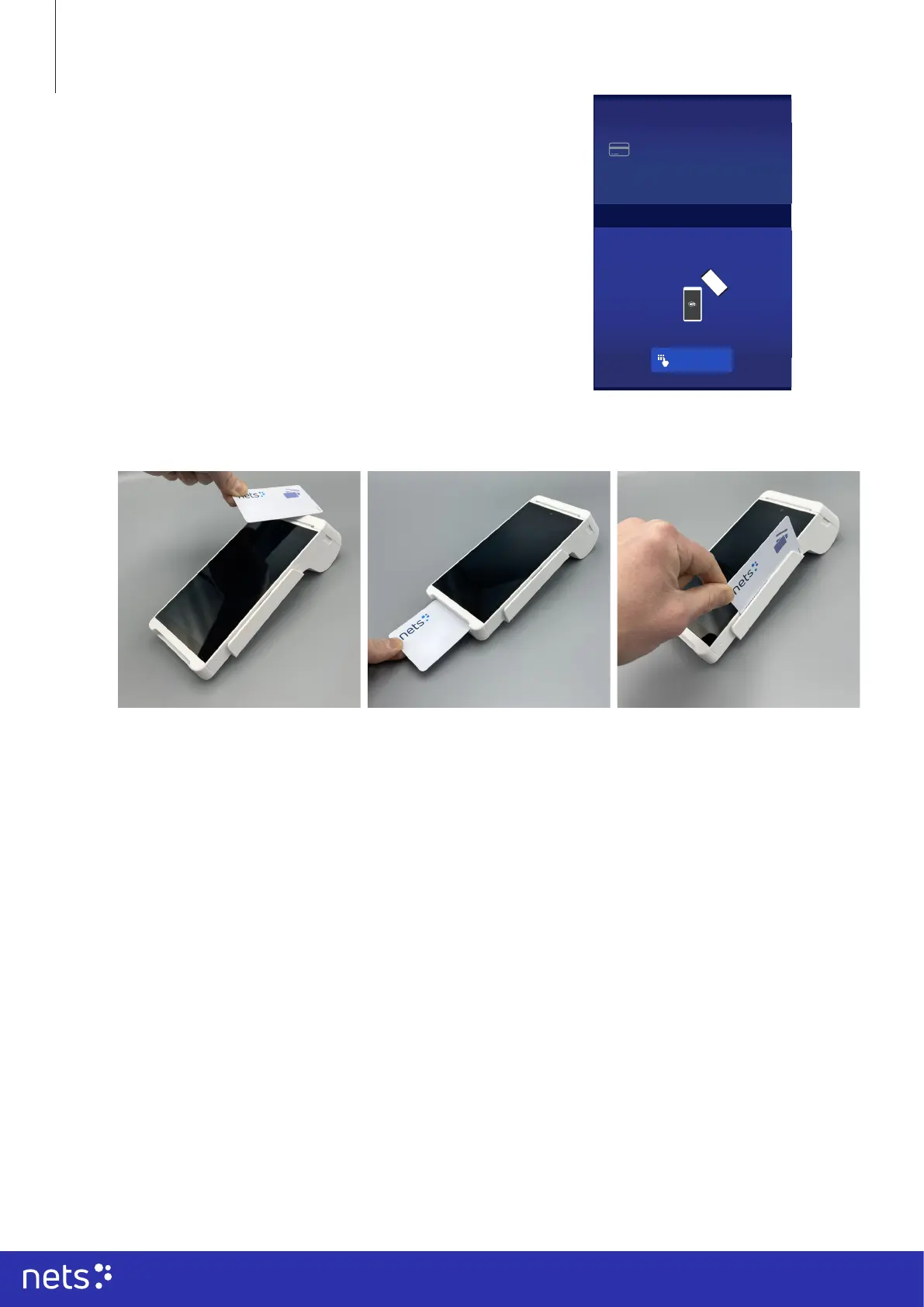
After entering the amount, the terminal will ask to ‘Insert, Swipe, or Tap’
the card. The cardholder should choose from the mentioned options.
Note that the terminal does not support manual entry of the payment card
details!
Note, that only one receipt is automatically printed after the purchase.
Print or disregard the customer receipt by tapping the desired option on
the terminal screen.
3.6 Printing the receipt
When the transaction has been approved, a prompt asking to print the receipt will appear on screen of the
‘Terminal’ application. Accept or disregard printing the receipt from the options in the panel.
Re-printing the receipt
Press the home icon. Choose the ‘Transactions’ application on the screen.
• You will see your transactions in the list.
• Click on the transaction, for which you need to reprint the receipt from the list.
• You will see a ‘Refund’ option appear in the lower right corner of your terminal screen.
• Choose to re-print / resend the receipt.
1.
NFC (contactless) transactions:
Bring the payment card to the RFID
reader on top of the payment terminal
and keep the card close to the reader
during the transaction. The LED
indicator at the upper part of the LCD
screen will indicate the transaction
state during the transaction.
2.
Chip transactions:
Insert the chip card into the terminal
as shown on the slot with its contact
surface (card chip) facing up. Do not
remove the payment card during the
transaction.
3.
Magnetic stripe transactions:
Swipe the card along the slot with
the magnetic stripe (band) facing
the terminal. The swiping speed and
movement should be kept in uniform
to ensure reliable card reading. The
card can be read from bottom up or
from bottom to top.
Insert, Swipe or Tap
€12.00
Manual Entry
SUMMARY NOTES RECEIPT



 To Next Page