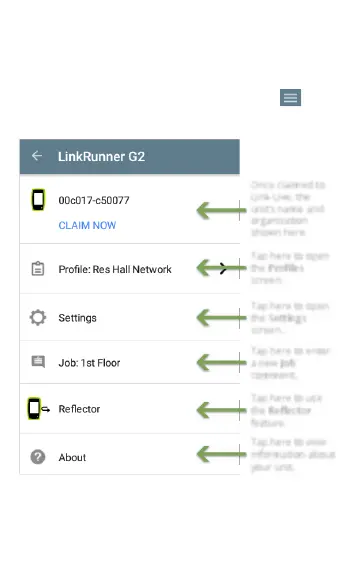
Left-Side Navigation Drawer
To access the LinkRunner G2 testing application
settings, touch the navigation menu icon at the
top left of the LinkRunner G2 application screen.
Once claimed to
Link-Live, the
unit’s name and
organization
shown here.
Tap here to open
the Profiles
screen.
Tap here to open
the Settings
screen.
Tap here to enter
a new Job
comment.
Tap here to use
the Reflector
feature.
Tap here to view
information about
your unit.
Figure 8: Left-Side Navigation Drawer Options
34
LinkRunner G2 Application Settings



 To Next Page