Store
Reset
Add / Delete Function
SPECIAL FUNCTIONS, Add /Delete Function, Reset, Store C70 Digital Readout System
NOTES
THE SERIAL
PROGRAMMING LEAD
IS SPECIFICALLY
DESIGNED FOR
CONNECTION TO
C-SERIES DIGITAL
READOUTS.
INCORRECT
CONNECTION MAY
CAUSE FAILURE.
USE RESET WITH
CAUTION.
ALL STORED SETTINGS
WILL BE LOST IF THIS
FUNCTION IS USED
ALL RESTORE
CHANGES ARE SAVED
IMMEDIATELY
Reset will take
approximately15
seconds
Newall Measurement Systems Ltd14
These two options allow you to download programmable functions from a PC connected to the C70 via
a serial lead connected to axis 1. This serial lead is an option and can be ordered seperately if require
using Part No. 307-80990. Please contact Newall for pricing information.
New functions are available as Internet downloads and can be found on the Newall
Website:www.newall.com
This will restore all settings to their factory defaults, and should, therefore, be used only if
absolutely necessary.
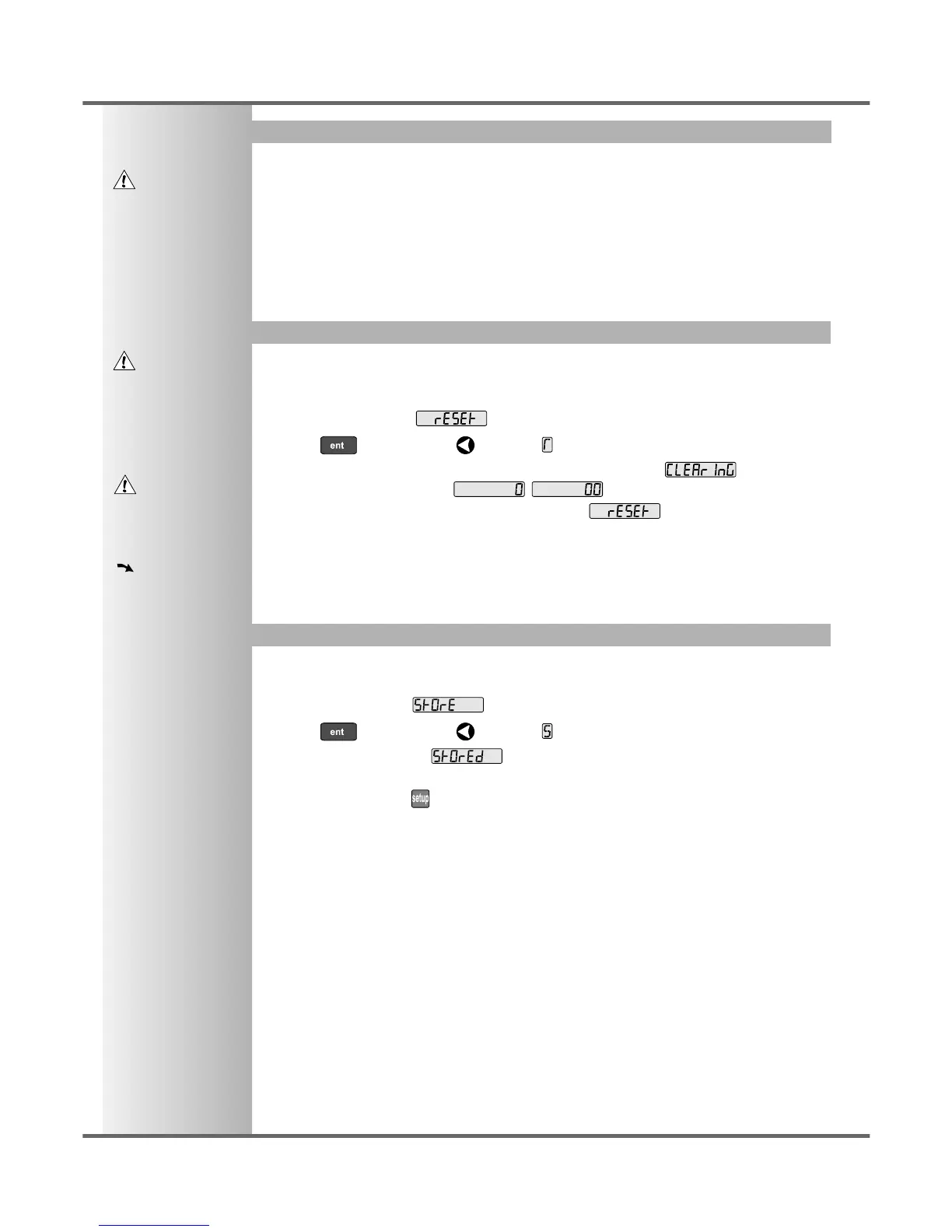
The middle display shows:
• Press or the select key next to the to select the Reset function.
• While all the stored settings are being erased, the top display shows: ,
and the middle display shows , etc.
• When Reset has finished the middle display returns to:
The C80 remains in Setup Mode.
This will store all settings and exit to Normal Operating Mode.
The middle display shows
• Press or the select key next to the to select the Store function.
• The middle display shows for a few seconds, as your settings are stored.
The C70 exits from Setup Mode.
• Alternatively, pressing at any time will exit from Setup Mode and abandon any changes.



 To Next Page