23
3 Getting Started
3.1 Power On
Step 1 Ensure the power cable is fully seated into the panel and wall outlet before powering on the
panel. Please confirm your wall outlet supports a power range of 100V to 240V with
frequency at 50 Hz/60 Hz ± 5% and is fully grounded.
The power outlet should be installed near the equipment and should be easily accessible.
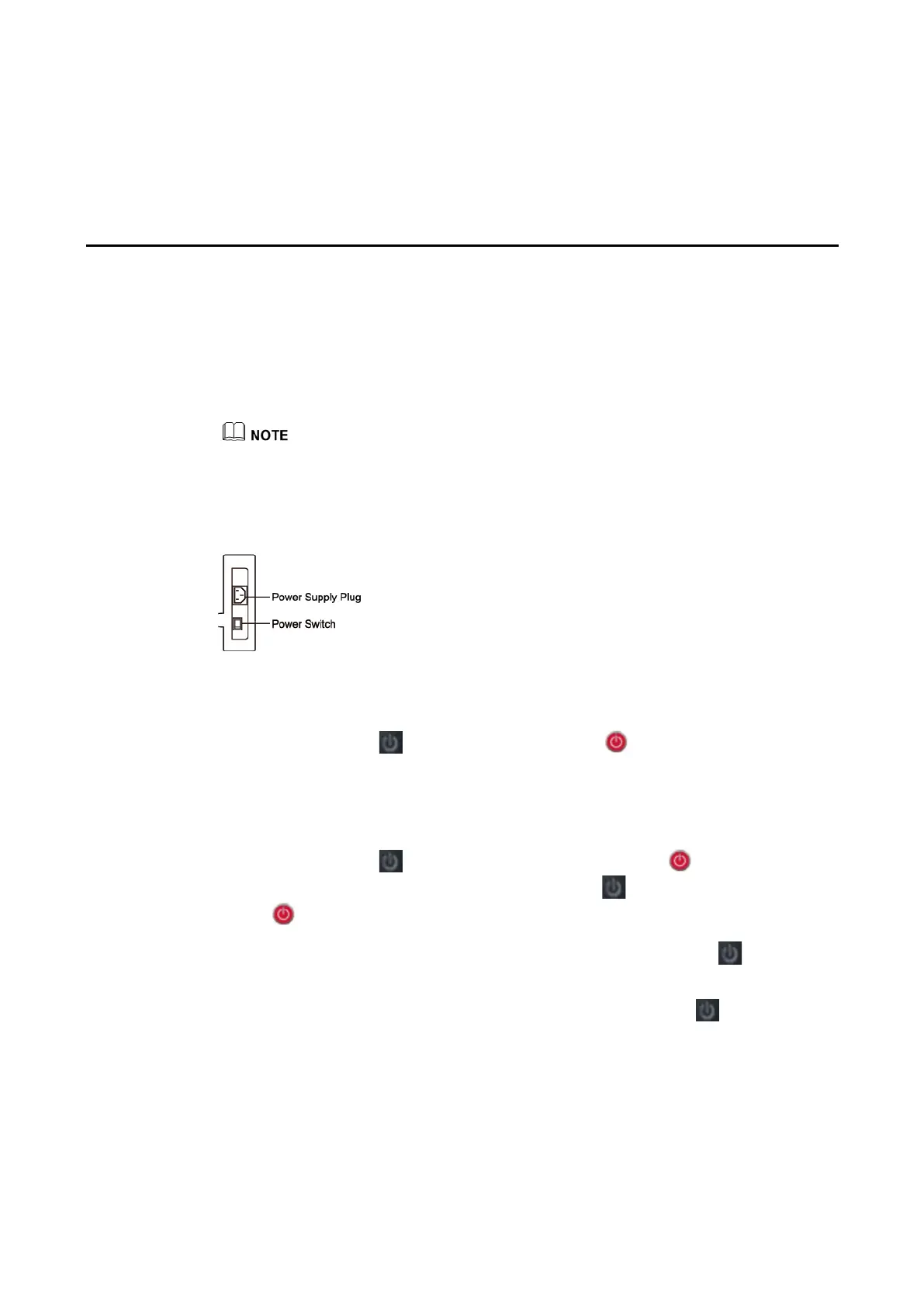
Step 2 Flip the power switch located on the side of the product to “I”.
65" / 75" / 86"
(tips
:
Image to be updated)
Step 3 Press the power button on the front control panel or on the remote control.
3.2 Power Off
Press the power button on the front panel or the power button on the remote
control to enter sleep mode. Long press the power button on the front panel or the power
button on the remote control to turn off the panel in the following situations:
Step 1 If there is no whiteboard data or screenshot(s), long press the power button to power off
the panel.
Step 2 If there is whiteboard data or screenshot(s), long press the power button on the front
panel or on the remote control. The Save session page will be displayed as shown in the
following figure.


 To Next Page
 Loading...









