Peak 650 User's Guide Rev. A October 2000
Capability Expand
3-2
3-2 Change CPU
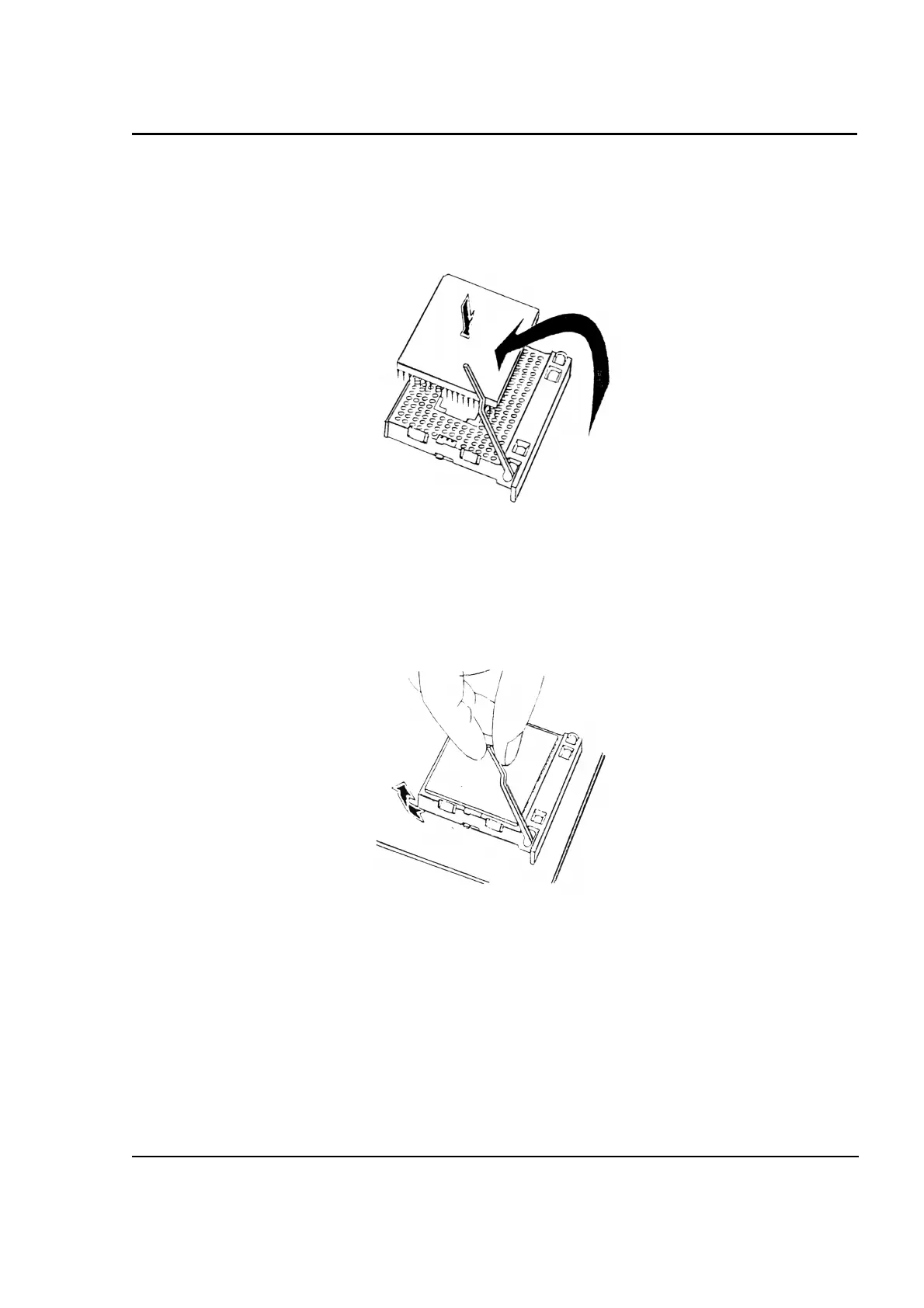
To change the CPU, pull the handling bar of the socket upward to the other end to loosen the socket's
openings. Carefully lift the existing CPU up to remove it from the socket.
Removing CPU
Place the new CPU on the middle of the socket, orienting its beveled corner to line up with the socket's
beveled corner. Make sure the pins of the CPU fit evenly to the socket openings. Replace the handling
bar to fasten the CPU to the socket. Be sure to re-arrange the jumper setting for the correct external
clock.
Installing CPU



 To Next Page